
Mazda 3 Service Manual: Headliner Removal/Installation
1. Shift to the D (ATX) or 4th gear (MTX) position. (4SD)
2. Disconnect the negative battery cable..
3. Remove the rain sensor cover. (Vehicles with auto light/wiper system).
4. Disconnect the rain sensor connector. (Vehicles with auto light/wiper system)
5. Partially peel back the seaming welts.
6. Remove the following parts:
a. Sunroof seaming welt (vehicles with sunroof)
b. A-pillar trim.
c. Front scuff plate.
d. Rear scuff plate.
e. B-pillar lower trim.
f. Upper anchor of the front seat belt.
g. B-pillar upper trim.
h. Rear seat cushion.
i. Tire house trim.
j. Trunk side upper trim (5HB).
k. C-pillar trim.
l. Map light.
m. Sunvisor.
n. Assist handle.
7. Disconnect the microphone connecter. (Vehicles with headliner installation type)
8. Disconnect the roof wiring harness connector and remove the roof wiring harness connector clip from the body.
9. Disconnect the rear washer hose. (5HB)
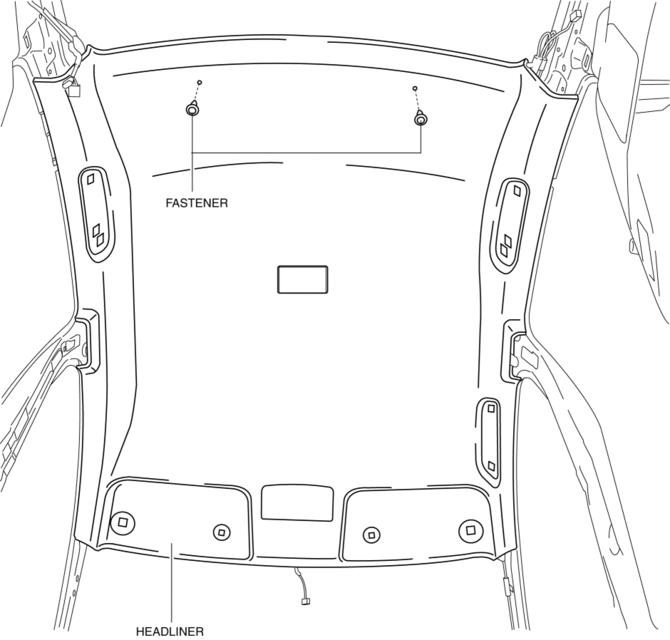
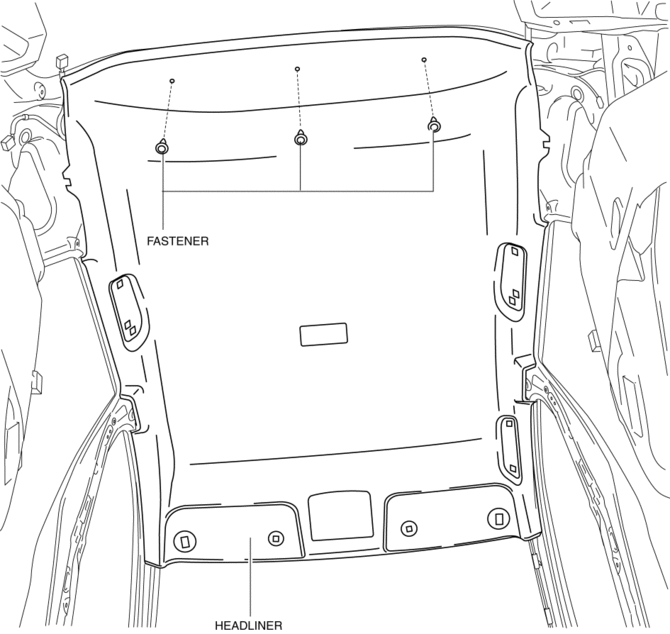
10. Remove the fasteners.
4SD
5HB
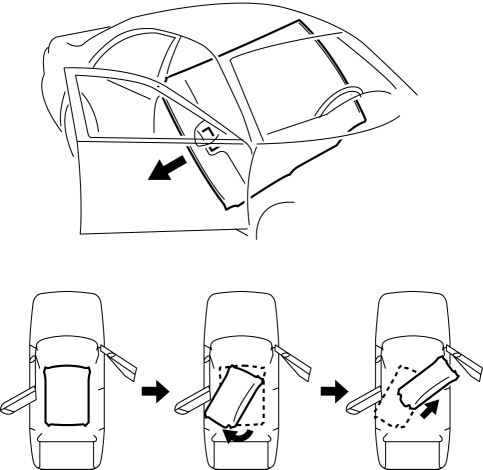
11. Take the headliner out from the opened front passenger-side door. (4SD)
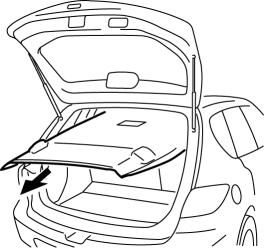
12. Take the headliner out from the opened liftgate. (5HB)
13. Install in the reverse order of removal.
 Sunroof Switch Removal/Installation
NOTE:
The sunroof switch is together with the front map light.
1. Disconnect the negative battery cable..
2. Remove the map light from the headliner..
3. Install in the reverse order ...
 Roof Molding Installation
1. Install the roof molding to the front T-stud.
2. Hook the roof molding to the clip and attach the roof molding while pressing
it in the direction of the arrow shown in the figure.
3. Inst ...
Other materials:
Rear Seat Back Frame Removal/Installation
1. Remove the rear seat cushion..
2. Remove the rear buckle installation bolt..
3. Remove the rear seat back..
4. Remove the headrest.
5. Open the fasteners.
6. Detach the hooks.
7. Remove the child-restraint seat anchor covers in the order of (1), (2) as
shown in the figure. (5H ...
Joint Shaft Disassembly [Mzr 2.3 Disi Turbo]
1. Disassemble in the order indicated in the table.
1
Joint shaft component
.
2
Bearing
.
3
Dust seal (LH)
4
Joint shaft
5
Dust seal (RH)
...
Overheating
If the high engine coolant temperature
warning light illuminates, the vehicle loses
power, or you hear a loud knocking or
pinging noise, the engine is probably too
hot.
WARNING
Switch the ignition to off and make
sure the fan is not running before
attempting to work near the co ...
