
Mazda 3 Owners Manual: Storage Compartments
| WARNING
Keep storage boxes closed when
driving:
Driving with the storage boxes open is
dangerous. To reduce the possibility of
injury in an accident or a sudden stop,
keep the storage boxes closed when
driving.
Do not put articles in storage spaces with no lid: Putting articles in storage spaces with no lid is dangerous as they could be thrown around the cabin if the vehicle is suddenly accelerated and cause injury depending on how the article is stored. |
| CAUTION Do not leave lighters or eyeglasses in the storage boxes while parked under the sun. A lighter could explode or the plastic material in eyeglasses could deform and crack from high temperature. |
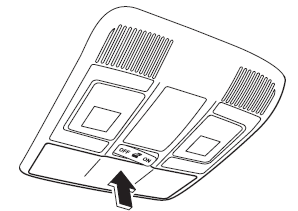
Overhead Console *
This console box is designed to store eyeglasses or other accessories.
Push and release to open.
Glove Compartment
To open the glove compartment, pull the latch toward you.
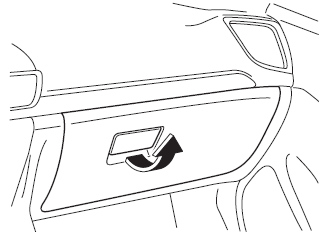
To close the glove compartment, firmly press in the center of the glove compartment lid.
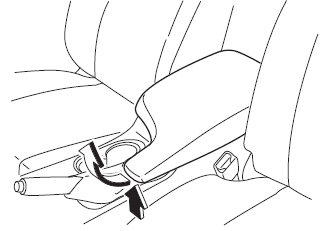
Center Console
To open, pull the release latch
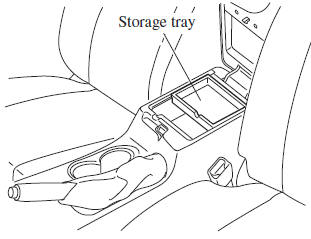
Storage tray
The storage tray can be removed.
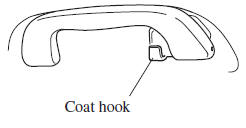
Rear Coat Hooks
| WARNING Never hang heavy or sharp objects on the assist grips and coat hooks: Hanging heavy or sharp-ended objects such as a coat hanger from the assist grips or coat hooks is dangerous as they can fl y off and hit an occupant in the cabin if a curtain air bag was to deploy, which could result in serious injury or death |
Always hang clothes on the coat hooks and the assist grips without hangers.
 Bottle Holder
Bottle holders are on the inside of the
doors.
CAUTION
Do not use the bottle holders for
containers without caps. The contents
may spill when the door is opened or
closed.
...
 Maintenance and Care
How to keep your Mazda in top condition. ...
Other materials:
Gate operator/Canadian
Programming
Canadian radio-frequency laws require
transmitter signals to “time-out” (or quit)
after several seconds of transmission
— which may not be long enough for
HomeLink to pick up the signal during
programming. Similar to this Canadian
law, some U.S. gate operators are designed
to “time-ou ...
No.27 Fuel Refill Concerns [Mzr 2.0, Mzr 2.5]
27
FUEL REFILL CONCERNS
DESCRIPTION
Fuel tank does not fill smoothly.
POSSIBLE CAUSE
PCM DTC is stored
Nonreturn valve malfunction
Improper use of fuel ...
Positive Crankcase Ventilation (PCV) Valve Removal/Installation [Mzr 2.0, Mzr
2.5]
1. Remove the battery cover..
2. Disconnect the negative battery cable..
3. Remove the intake manifold and the fuel distributor component as a single
unit..
4. Remove in the order indicated in the table.
1
Oil separator
2
Retainer
...
