
Mazda 3 Service Manual: Oil Pressure Switch Removal
MZR 2.0, MZR 2.5, MZR 2.3 DISI Turbo
WARNING:
-
A hot engine can cause severe burns. Turn off the engine and wait until it is cool before removing the exhaust system.
1. Disconnect the negative battery cable.
2. Remove the aerodynamic under cover No.2..
3. Disconnect the connector.
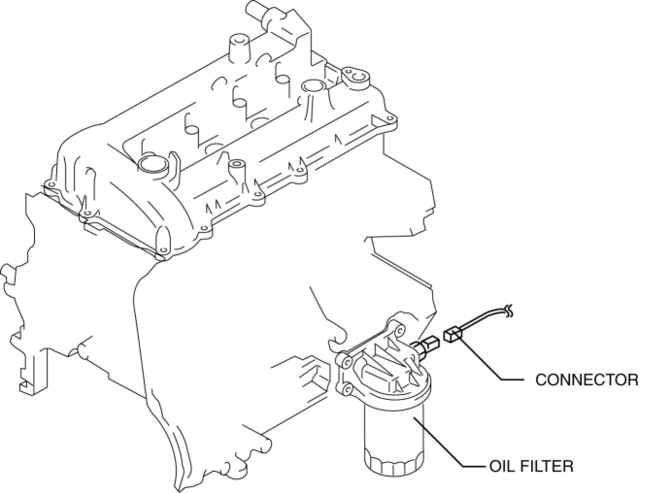
4. Remove the oil pressure switch.
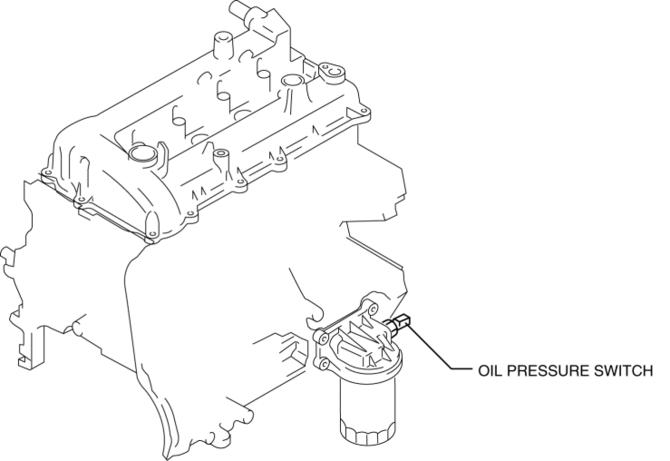
SKYACTIV-G 2.0
WARNING:
-
A hot engine can cause severe burns. Turn off the engine and wait until it is cool before removing the exhaust system.
1. Disconnect the negative battery cable.
2. Remove the aerodynamic under cover No.2..
3. Disconnect the connector.
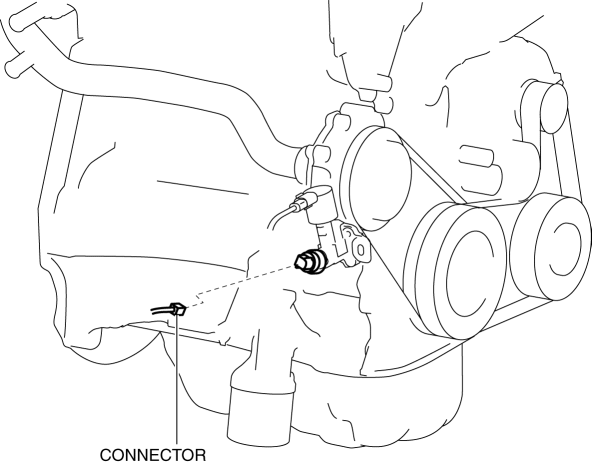
4. Remove the oil pressure switch.
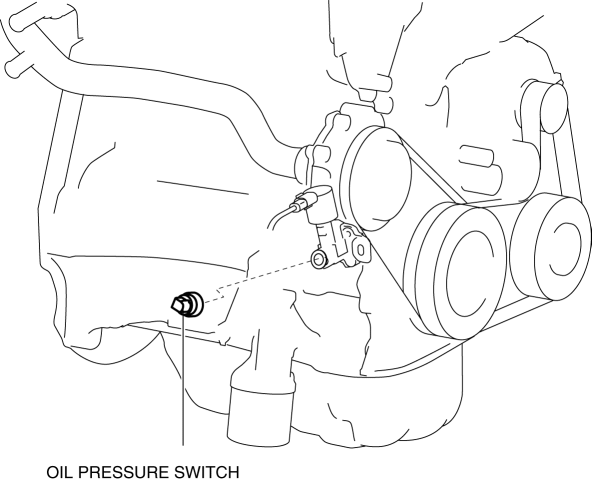
 Oil Pressure Switch Inspection [FS5 A EL]
CAUTION:
Water or foreign objects entering the connector can cause a poor connection
or corrosion. Be sure not to drop water or foreign objects on the connector
when disconnecting it.
...
 Oil Pressure Switch Removal/Installation [FS5 A EL]
WARNING:
A hot transaxle and ATF can cause severe burns. Turn off the engine and wait
until they are cool.
1. Perform the following procedures.
a. Remove the battery cover..
b. Di ...
Other materials:
Shift position
Choose the appropriate shift position in your Subaru Solterra according
to your driving needs, road conditions, and intended operation.
Shift position purpose and functions
In the Subaru Solterra, the shift system is designed to deliver smooth, intuitive
control while maximizing safety a ...
Generator Disassembly/Assembly [Mzr 2.0, Mzr 2.5]
CAUTION:
Melt the solder quickly, otherwise the diodes (rectifier) and regulator will
be damaged by excessive heat.
1. Disassemble in the order indicated in the table.
2. Assemble in the reverse order of disassembly.
MZR 2.0
1
Rotor component
...
Pressure Sensor Removal/Installation [Two Step Deployment Control System]
1. Switch the ignition to off.
2. Disconnect the negative battery cable and wait for 1 min or more..
3. Remove the inner garnish..
4. Remove the front door trim..
5. Remove the bolts.
6. Remove the pressure sensor.
7. Disconnect the connector from the pressure sensor by pressing the ...
