
Mazda 3 Service Manual: Engine Oil Replacement [Mzr 2.0, Mzr 2.5]
WARNING:
-
Hot engines and engine oil can cause severe burns. Turn off the engine and wait until it and the engine oil have cooled.
-
A vehicle that is lifted but not securely supported on safety stands is dangerous. It can slip or fall, causing death or serious injury. Never work around or under a lifted vehicle if it is not securely supported on safety stands.
-
Continuous exposure to USED engine oil has caused skin cancer in laboratory mice. Protect your skin by washing with soap and water immediately after working with engine oil.
CAUTION:
-
If engine oil is spilled on the exhaust system, wipe it off completely. If you fail to wipe the spilled engine oil, it will produce fumes because of the heat.
1. Position the vehicle on level ground.
2. Remove the oil filler cap.
3. Remove the oil pan drain plug.
4. Drain the engine oil into a container.
5. Install the oil pan drain plug with a new gasket.
-
Oil pan drain plug tightening torque
-
30—41 N·m {3.1—4.1 kgf·m, 23—30 ft·lbf}
NOTE:
-
The amount of residual oil in the engine can vary according to factors such as the replacement method and oil temperature. Verify the oil level after engine oil replacement.
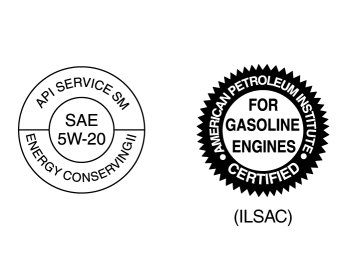
6. Refill with the following type and amount of the engine oil. Engine oil specification
|
Item |
U.S.A. and CANADA |
Except U.S.A. and CANADA |
|
Engine oil grade |
|
|
|
API SM or ILSAC |
||
|
Engine oil viscosity |
0W-20 |
5W-20 (If SAE 5W-20 engine oil is not available in your market, use SAE 5W-30 engine oil.) |
-
Engine oil capacity [MZR 2.0] (approx. quantity)
-
Oil replacement: 3.9 L {4.1 US qt, 3.4 Imp qt}
-
Oil and oil filter replacement: 4.3 L {4.5 US qt, 3.8 Imp qt}
-
Total (dry engine): 4.6 L {4.9 US qt, 4.0 Imp qt}
-
Engine oil capacity [MZR 2.5] (approx. quantity)
-
Oil replacement: 4.6 L {4.9 US qt, 4.0 Imp qt}
-
Oil and oil filter replacement: 5.0 L {5.3 US qt, 4.4 Imp qt}
-
Total (dry engine): 5.5 L {5.8 US qt, 4.8 Imp qt}
7. Install the oil filler cap.
8. Start the engine and confirm that there is no oil leakage.
-
If there is oil leakage, repair or replace the applicable part.
9. Inspect the oil level..
 Engine Oil Level Inspection [Mzr 2.0, Mzr 2.5]
1. Position the vehicle on level ground.
2. Warm up the engine.
3. Stop the engine and allow at least 5 min before continuing.
4. Remove the dipstick, wipe it cleanly, and reinstall it fully.
...
 Front Oil Seal Replacement [Mzr 2.0, Mzr 2.5]
1. Remove the battery cover..
2. Disconnect the negative battery cable..
3. Remove the plug hole plate..
4. Disconnect the wiring harness.
5. Remove the ignition coils..
6. Remove the spark ...
Other materials:
Replacing Interior Light Bulbs
Overhead lights (Front)/Map lights * ,
Overhead lights (Front) * , Overhead
lights (Rear) * , Vanity mirror lights *
Wrap a small flathead screwdriver
with a soft cloth to prevent damage to
the lens, and then remove the lens by
carefully prying on the edge of the lens
with the flathead ...
Engine Disassembly/Assembly [Skyactiv G 2.0]
CAUTION:
When the transaxle is installed, do not suspend the engine. Otherwise, the
SST installation area of the cylinder head may be damaged due to excess weight.
Only suspend the engine after separating the engine and transaxle.
Applying excessive force (force of 100 N {10.2 ...
Seat Belt Inspection
Belt
1. Verify that the belt is installed properly with no twists or kinks.
2. Verify that there is no damage to the seat belt and no deformation of the
metal fittings.
If there is any malfunction, replace the seat belt.
ELR
Except 5HB (rear center seat belt)
1. Verify tha ...
