
Mazda 3 Service Manual: Front Door Latch And Lock Actuator Removal/Installation
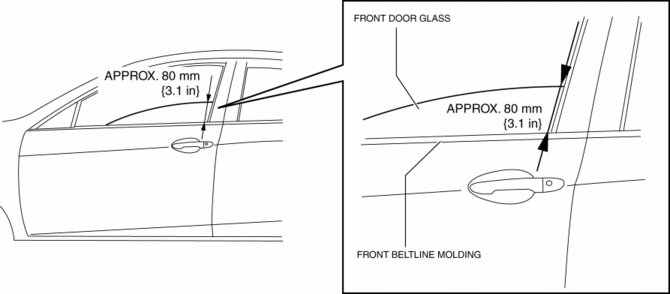
1. To access the glass installation bolt, position the front door glass so that the distance from the top of the front door glass to the upper part of the front beltline molding is approx. 80 mm {3.1 in}
.
2. Disconnect the negative battery cable..
3. Remove the following parts:
a. Inner garnish.
b. Front door trim.
c. Front inner handle.
d. Front door speaker.
e. Front door glass.
f. Front door module panel.
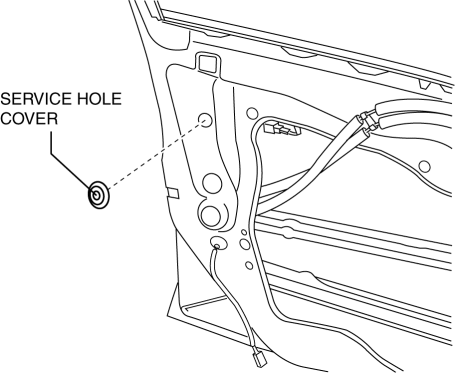
4. Remove the service hole cover (with front door key cylinder).
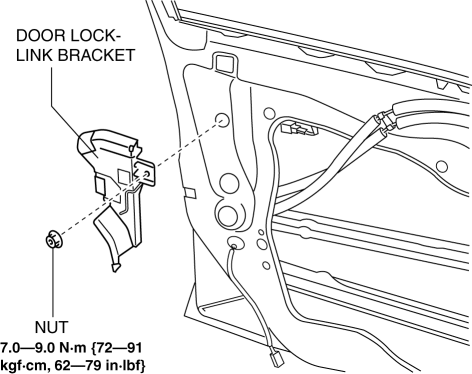
5. Remove the tab, then remove the door lock-link bracket (with front door key cylinder).
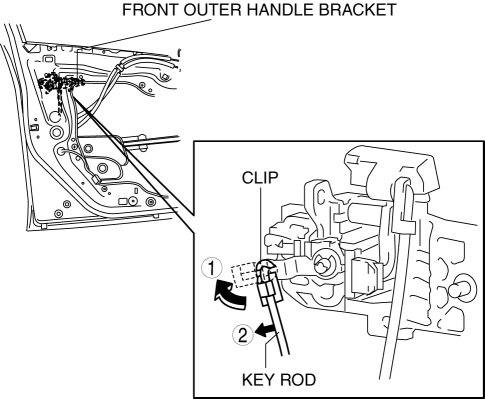
6. Disconnect the key rod from the front outer handle bracket.
7. Remove the screw.
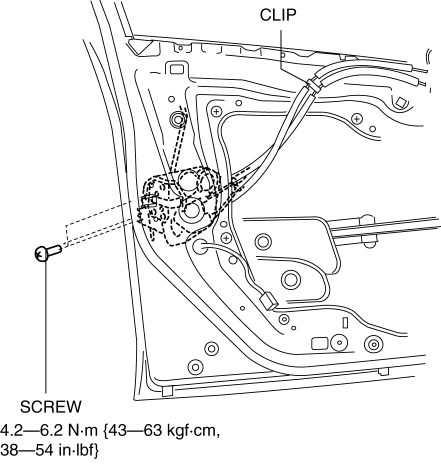
8. Detach the clips.
9. Press down the rod holder of the front door latch and lock actuator in the direction of the arrow.
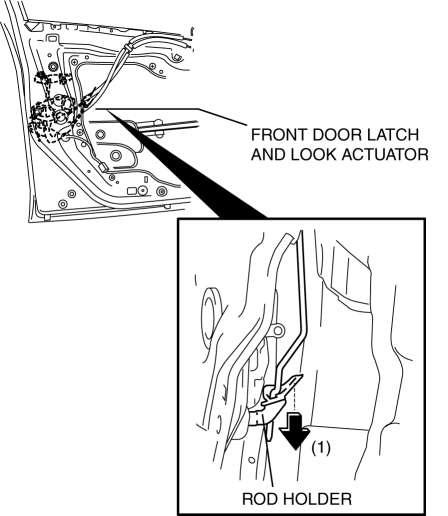
10. Maintaining the condition in Step 9, remove the front door latch and lock actuator.
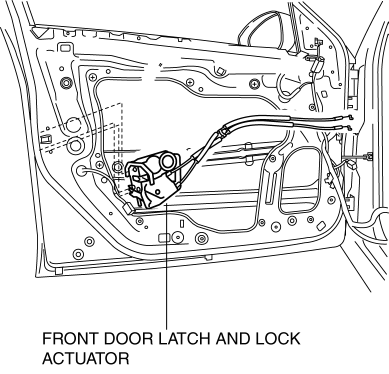
11. Install in the reverse order of removal.
 Front Door Latch And Lock Actuator Inspection
1. The following actuators and switches are integrated with the front door latch
and lock actuator. Inspect the front door latch and lock actuator according to each
inspection procedure for the fo ...
 Front Door Latch Switch Inspection
1. To access the glass installation bolt, position the front door glass so that
the distance from the top of the front door glass to the upper part of the front
beltline molding is approx. 80 mm { ...
Other materials:
Engine Coolant Temperature (ECT) Sensor Removal/Installation [Mzr 2.0, Mzr 2.5]
WARNING:
When the engine is hot, it can badly burn. Turn off the engine and wait until
it is cool before removing the ECT sensor.
ECT Sensor No.1
1. Remove the battery cover..
2. Disconnect the negative battery cable..
3. Drain the engine coolant..
4. Remove the battery and b ...
Fuel Filler Cap Inspection [Mzr 2.0, Mzr 2.5]
Leakage Inspection
1. Perform the following SST (Evaporative Emission System Tester 134-01049A)
self-test:
NOTE:
If the tester does not work correctly during self-test, refer to the tester
operators manual for more detailed procedures.
a. Verify that the gas cylinder valve is c ...
Vehicle Speed Sensor (VSS) Removal/Installation [FS5 A EL]
CAUTION:
If foreign materials are stuck to the sensor, disturbance by magnetic flux
can cause sensor output to be abnormal and thereby negatively affect control.
Make sure that foreign materials such as iron filings are not stuck to the sensor
during installation.
1. Perform t ...
