
Mazda 3 Owners Manual: Overhead Lights
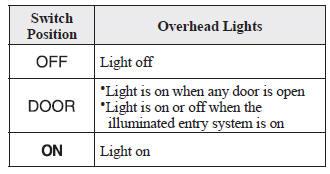
With Map Lights
Front
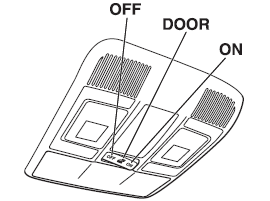
Rear
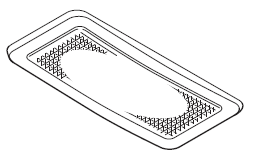
Without Map Lights
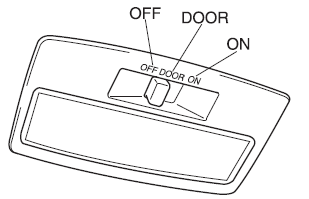
NOTE (With map lights) The rear overhead light also turn on and off when the front overhead light switch is operated.
Map Lights *
When the overhead light switch is in the door or off position, press the lens to illuminate the map lights, and then press the lens again to turn them off.
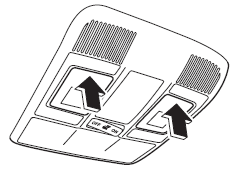
NOTE The map lights will not turn off even if the lens is pressed in the following cases:
- The overhead light switch is in the ON position.
- The overhead light switch is in the door position with the door open.
- The illuminated entry system is on.
Luggage Compartment Lights (5–door)
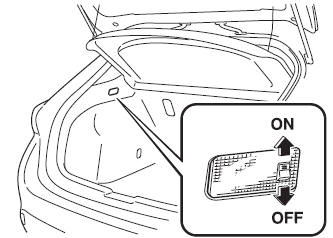
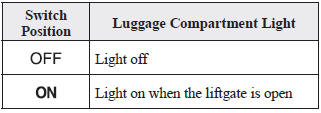
Trunk Light (4–door)
The trunk light is on when the lid is open and off when it's closed.
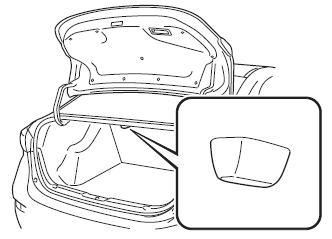
NOTE To prevent the battery from being discharged, do not leave the trunk open for a long period when the engine is not running.
 Interior Lights
...
 Illuminated Entry System
When the illuminated entry system
operates, the overhead light (switch is in
the DOOR position) turn on for:
About 30 seconds after the driver's door
is unlocked and the ignition is switched
...
Other materials:
Caliper (Front) Disassembly/Assembly [Mzr 2.0, Skyactiv G 2.0, Mzr 2.5]
1. Disassemble in the order indicated in the table.
1
Bleeder cap
2
Bleeder screw
3
Piston
(See Piston Disassembly Note.)
(See Piston Assembly Note.)
4
Dust seal
(See Dust Seal ...
Rear Seat Back Frame Removal/Installation
1. Remove the rear seat cushion..
2. Remove the rear buckle installation bolt..
3. Remove the rear seat back..
4. Remove the headrest.
5. Open the fasteners.
6. Detach the hooks.
7. Remove the child-restraint seat anchor covers in the order of (1), (2) as
shown in the figure. (5H ...
Supplemental Restraint System Components
(With Front Passenger Occupant Classification System)
(Without Front Passenger Occupant Classification System)
Driver/Front passenger inflators and air bags
Roll-over sensor * , crash sensors, and diagnostic module (SAS unit)
Seat belt pretensioners
Front air bag sensors
Side c ...
