
Mazda 3 Service Manual: Rear Door Trim Removal/Installation
1. Disconnect the negative battery cable..
2. Move the hook in the direction of arrow shown in the figure using a tape-lapped flathead screwdriver and detach it from the rear door trim.
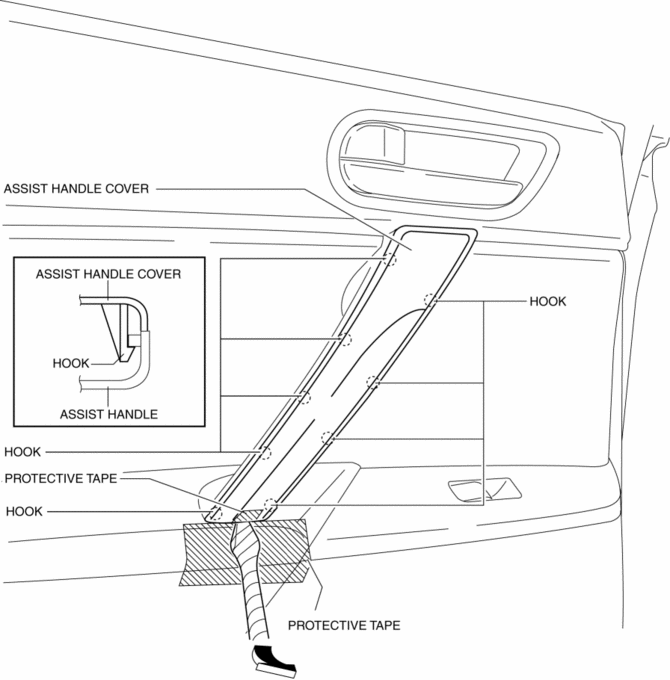
CAUTION:
-
Affix protective tape to the rear door trim and assist handle cover to prevent damage.
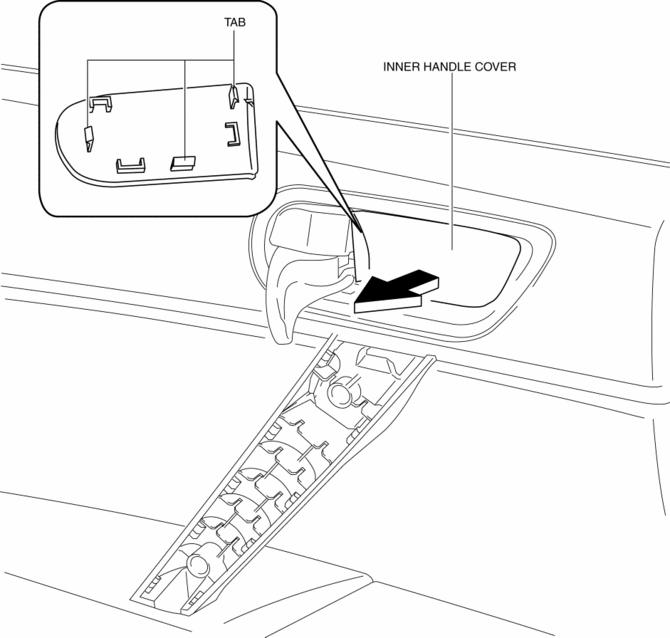
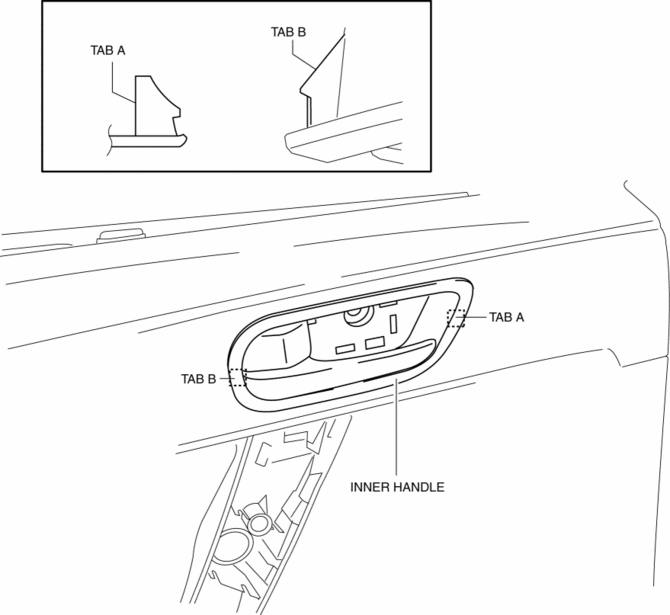
3. Pull the cover of inner handle and remove it while detaching tabs.
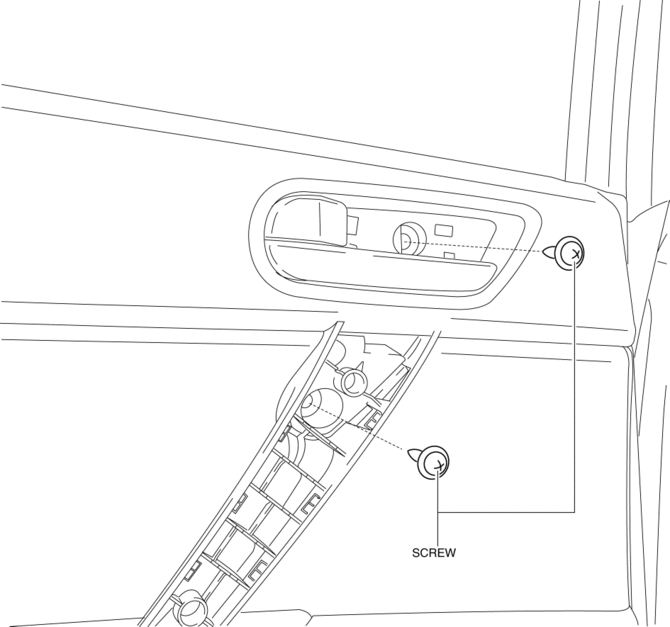
4. Remove the screws.
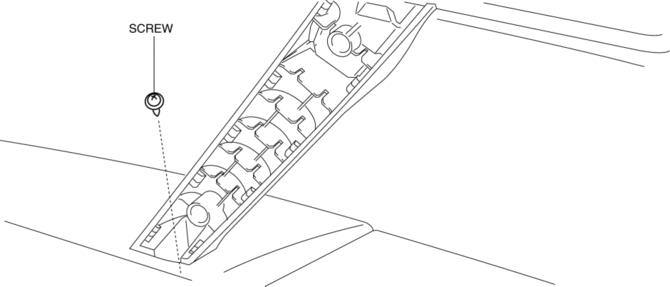
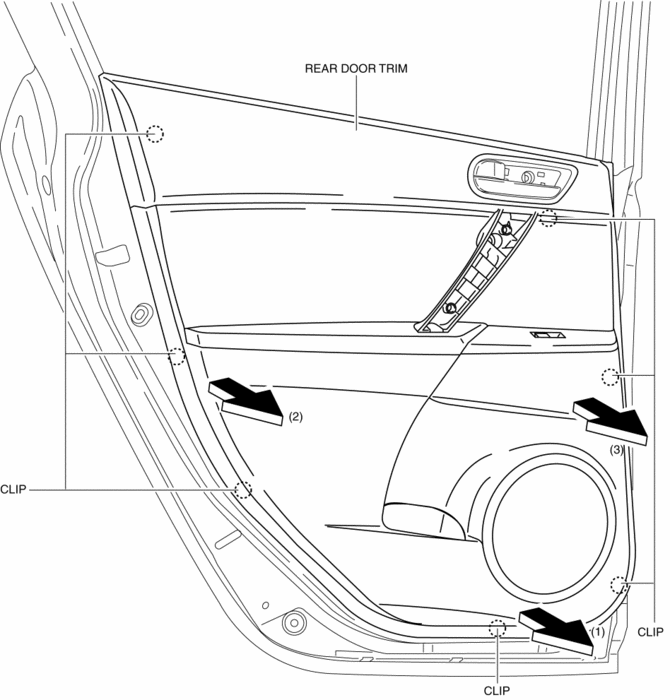
5. Pull in the direction of the arrow (1), (2), (3) shown in the figure and remove clips from the door inner panel using a fastener remover.
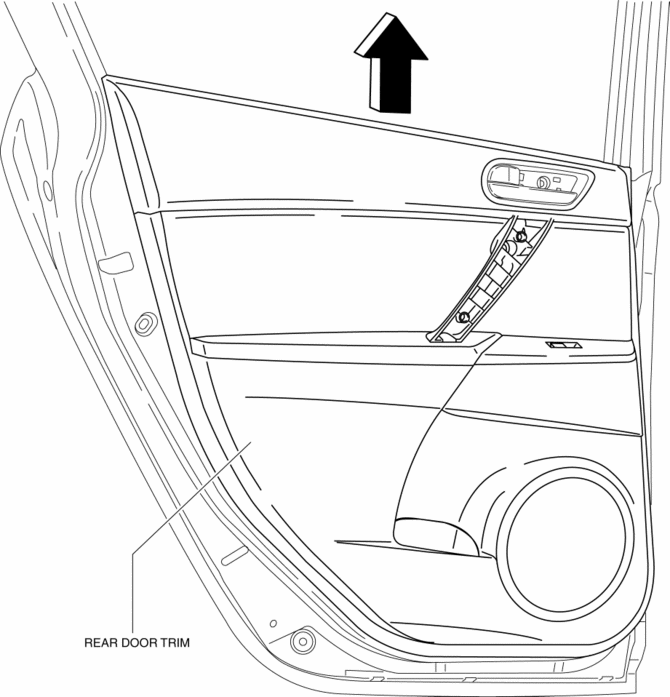
6. Remove the rear door trim in the direction of the arrow shown in the figure.
7. Remove the inner handle and move the rear door trim in the direction of the arrow shown in the figure.
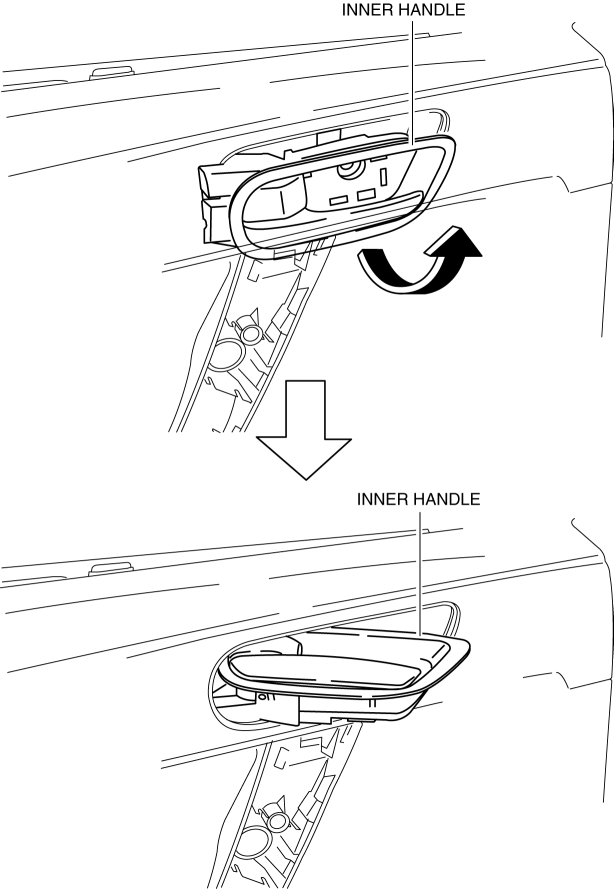
8. Turn the inner handle 90° in the direction of the arrow and remove it from the rear door trim.
9. Disconnect the power window subswitch connector.
10. Install in the reverse order of removal.
 Rear Door Trim Disassembly/Assembly
1. Disassemble in the order shown in the figure.
1
Screw
2
Assist handle
3
Switch panel cover
4
...
 Trunk Lid Trim Removal/Installation
1. Remove the fasteners, then remove the trunk lid trim.
2. Install in the reverse order of removal. ...
Other materials:
Oil Seal (Differential) Replacement [A26 M R]
1. On level ground, jack up the vehicle and support it evenly on safety stands.
2. Drain the oil from the transaxle..
3. Remove the front tires..
4. Remove the splash shield..
5. Remove the aerodynamic under cover No.2..
6. Separate the drive shaft and joint shaft from the transaxle..
7 ...
AC charging cable
This section explains the functionality, proper handling procedures,
and safety considerations for the AC charging cable used with the Subaru Solterra,
ensuring efficient and secure charging in everyday use.
WARNING
■ When using the AC charging cable and CCID (Charging Circuit Interrupting
...
Clock
Setting the time
The clock can be set at any time when the
ignition is switched to ACC or ON.
To adjust the time, press the clock
button ( ) for about 2 seconds
until
a beep is heard.
The clock's current time will flash.
Time adjustment
To adjust the time, press the hour/
...
