
Mazda 3 Service Manual: Front Fog Light Bulb Removal/Installation
Except Mazdaspeed3
1. Disconnect the negative battery cable..
2. Slightly bend back the mudguard..
3. Disconnect the connector.
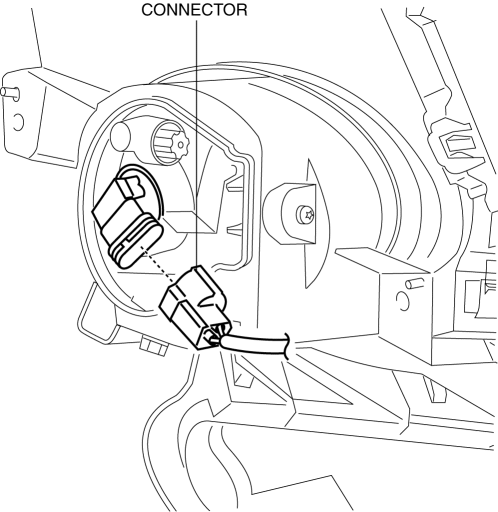
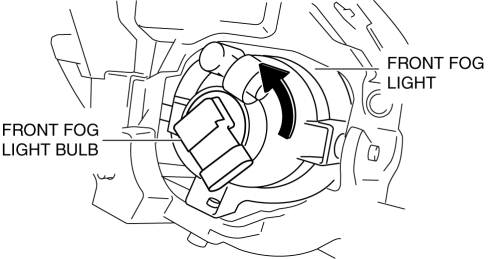
4. Rotate the front fog light bulb in the direction of the arrow shown in the figure.
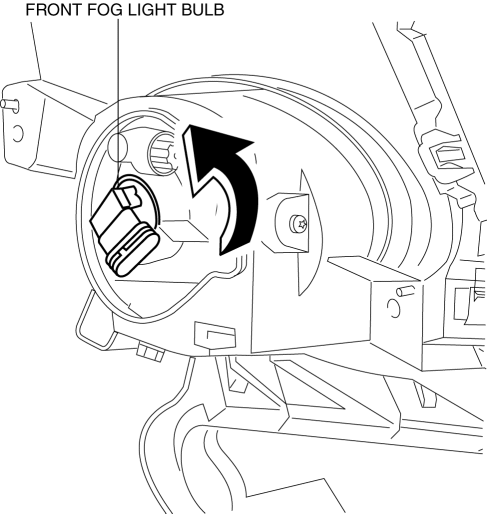
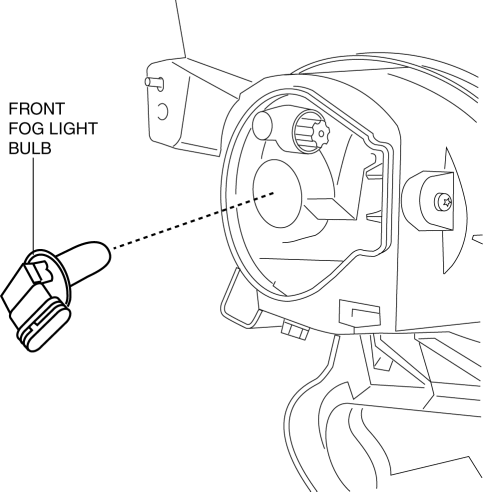
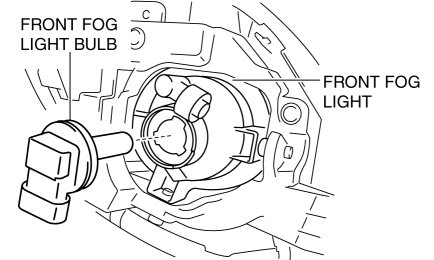
5. Remove the front fog light bulb.
CAUTION:
-
A halogen bulb generates extremely high heat when it is used. If the surface of the bulb is soiled, excessive heat will build up and the light’s life will be shortened. When replacing the bulb, hold the metal flange, not the glass.
6. Install in the reverse order of removal.
Mazdaspeed3
1. Disconnect the negative battery cable..
2. Slightly bend back the mudguard..
3. Disconnect the connector.
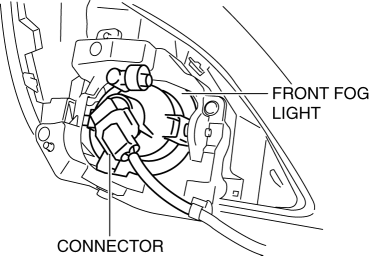
4. Rotate the front fog light bulb in the direction of the arrow shown in the figure.
5. Remove the front fog light bulb.
CAUTION:
-
A halogen bulb generates extremely high heat when it is used. If the surface of the bulb is soiled, excessive heat will build up and the light’s life will be shortened. When replacing the bulb, hold the metal flange, not the glass.
6. Install in the reverse order of removal.
 Front Fog Light Aiming
CAUTION:
If the front fog light aiming is adjusted with cargo in the vehicle, it may
not adjust correctly. Adjust the front fog light aiming with the vehicle under
the following conditio ...
 Front Fog Light Relay Removal/Installation
1. Disconnect the negative battery cable..
2. Remove the front mudguard.(RH).
3. Remove the front fog light relay case.
4. Remove the cover.
5. Remove the front fog light relay.
6. Insta ...
Other materials:
Battery Inspection [Mzr 2.0, Mzr 2.5]
WARNING:
Since battery acid is toxic, be careful when handling the battery.
Since battery acid is highly corrosive, be careful not to allow it to contact
clothing or the vehicle.
In case battery acid contacts skin, eyes, or clothing, flush it immediately
with running wa ...
Antenna Feeder No.5 Removal/Installation
1. Disconnect the negative battery cable..
2. Remove the following parts:
a. Front scuff plate (RH).
b. Front side trim (RH).
c. Rear scuff plate (RH).
d. B-pillar lower trim (RH).
e. Rear seat cushion.
f. Tire house trim (RH).
3. Partially peel back the floor covering.
4. Disconne ...
Rear Washer Nozzle Removal/Installation
1. Disconnect the negative battery cable..
2. Remove the following parts:
a. Liftgate upper trim.
b. Rear spoiler.
c. High-mount brake light.
3. Disconnect the rear washer hose.
4. Press the tabs and remove the rear washer nozzle.
5. Install in the reverse order of removal.
6. Ad ...
