
Mazda 3 Owners Manual: Declaration of Conformity
Keyless Entry System/Immobilizer System
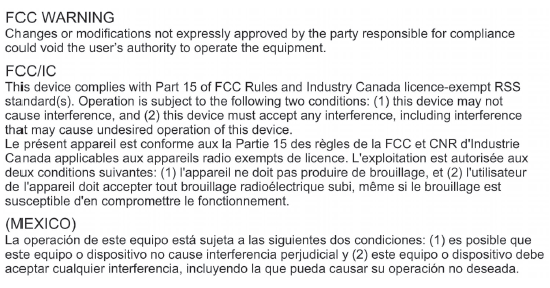
Blind Spot Monitoring (BSM) System
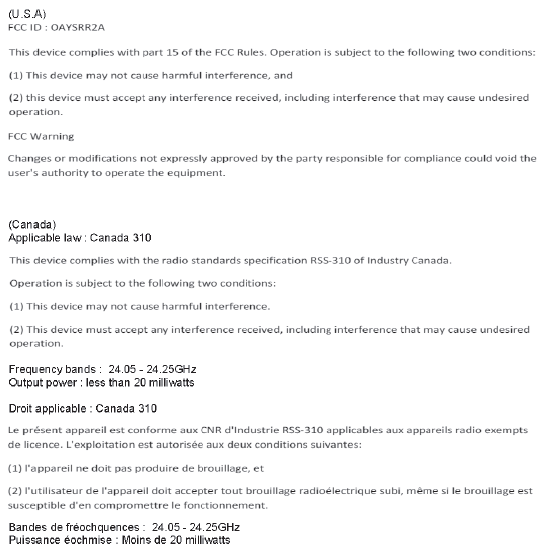
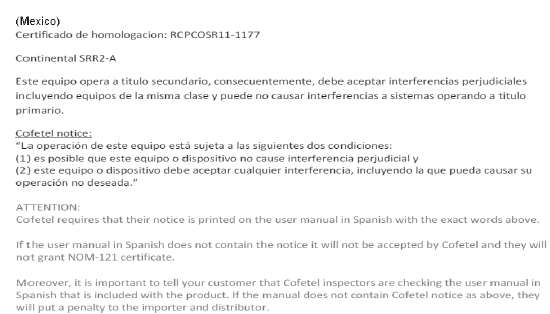
NOTE During printing time of this user manual the approvals listed above are granted.
| WARNING Change or modifi cations not expressively approved by the party responsible for compliance could void the use's authority to operate the equipment. |
HomeLink Wireless Control System
| CAUTION HomeLink has been tested and complies with FCC and Industry Canada rules. Changes or modifi cations not expressly approved by the party responsible for compliance could void the user's authority to operate the device. |
NOTE
FCC ID: NZLMOBHL4
CANADA:4112A-MOBHL4
This device complies with part 15 of the FCC Rules. Operation is subject to the following two conditions:
- This device may not cause harmful interference, and
- This device must accept any interference received, including interference that may cause undesired operation.
Bluetooth® Hands-Free
Type A
U.S.A. and Canada
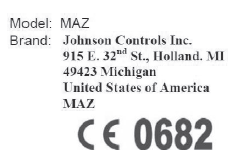
FCC ID: CB2MBLUEC09 IC:279B-MBLUEC09 This device complies with Part 15 of the FCC Rules and with RSS-210 of Industry Canada.
Operation is subject to the following two conditions:
- This device may not cause harmful interference, and
- This device must accept any interference received, including interference that may cause undesired operation.
| WARNING Changes or modifi cations not expressly approved by the party responsible for compliance could void the user's authority to operate the equipment. |
The term “IC: ” before the radio certification number only signifies that Industry Canada technical specifications were met.
The antenna used for this transmitter must not be co-located or operating in conjunction with any other antenna or transmitter. End-users and installers must be provided with installation instructions and transmitter operating conditions for satisfying RF exposure compliance.
Mazda Bluetooth ® Hands-Free Customer Service
- U.S.A.
- Canada
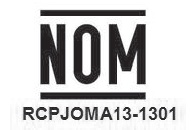
Mexico

- Brief description: Bluetooth module for Hands-free telephone and streaming audio
- Name and address of the importer: Refer to "MEXICO" in Importer/ Distributor section.
- Brand name of the product: Johnson Controls Inc.
- Model name of the product: MAZ
- Names and addresses of where the warranty can be served: Refer to "MEXICO" in Importer/Distributor section.
- Names and addresses of where to acquire spare parts, consumables and accessories: Refer to "MEXICO" in Importer/Distributor section.
- Warranty period, items covered by the warranty and its possible limitations or exceptions: Refer to the Warranty Booklet for detailed warranty information.
- Warranty procedure:
- Center of Attention to Client (CAC)
- Phone: 01-800-01-MAZDA
- Web: www.mazdamexico.com.mx
- Electrical specifications:
- Voltage: 9-16V, Frequency: 2.4Ghz, Current: 270mA(
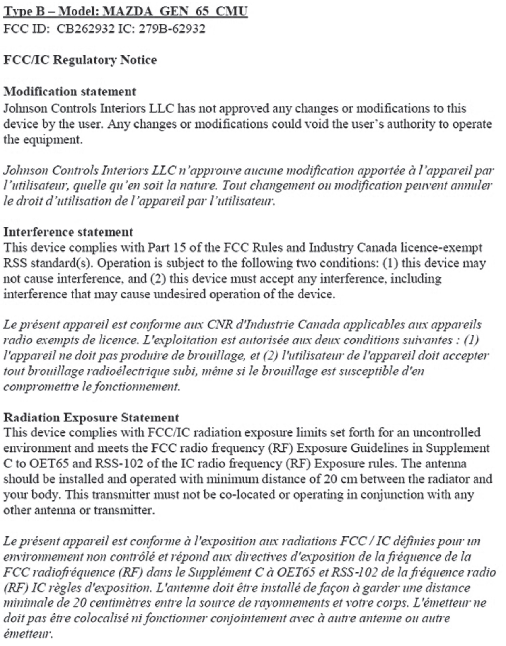
Type B
U.S.A. and Canada
Mexico
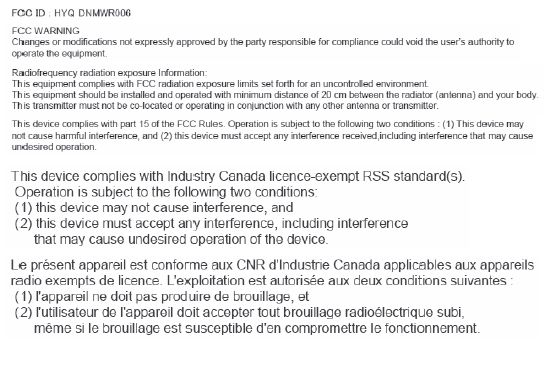
Forward Obstruction Warning (FOW)/Mazda Radar Cruise Control (MRCC)
 Steps for Determining the Correct
Load Limit
Steps for Determining the Correct
Load Limit
Steps for Determining Correct Load Limit-
Locate the statement “The combined weight of occupants and cargo
should never exceed
XXX kg or XXX lbs.” on your vehicle's placard.
Determine t ...
 Specifications
...
Other materials:
DSC Sensor Initialization Procedure
WARNING:
If the DSC sensor initialization procedure is not completed, the DSC will
not operate properly and it might cause an unexpected accident. Therefore, after
replacing or removing the DSC HU/CM or SAS control module, make sure to perform
the DSC sensor initialization procedure ...
Gracenote Database (Type B)
When a USB device is connected to this unit and the audio is played, the
album name,
artist name, genre and title information are automatically displayed if there is
a match in
the vehicle's database compilation to the music being played. The information
stored in this
device uses database ...
Audio Amplifier Removal/Installation
1. Slide the passenger seat rearward.
2. Remove the cover.
3. Remove the bolt.
4. Detach the clips and set the vehicle wiring harness aside.
5. Slide the passenger seat forward.
6. Disconnect the negative battery cable..
7. Remove the caps.
8. Remove the nuts.
9. Disconnect t ...
