
Mazda 3 Service Manual: Inboard Light Removal/Installation
4SD
1. Disconnect the negative battery cable..
2. Remove the trunk lid trim..
3. Disconnect the connector.
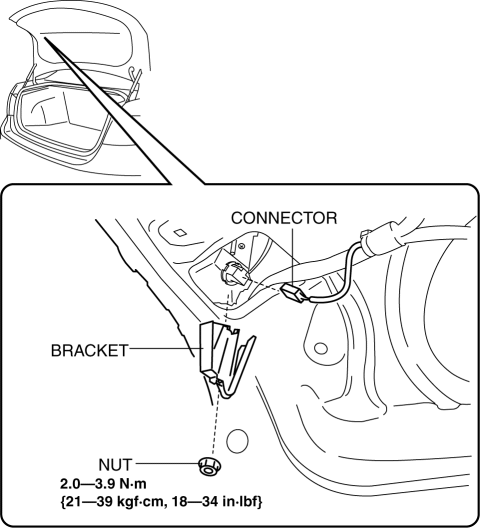
4. Remove the nut.
5. Remove the bracket.
6. Remove the inboard light as shown in the figure.
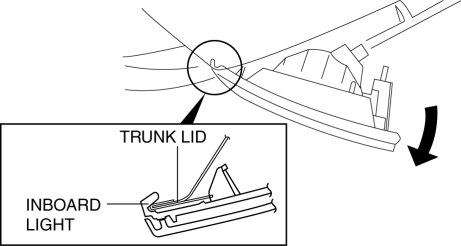
7. Install in the reverse order of removal..
5HB
1. Disconnect the negative battery cable..
2. Remove the service hole cover.
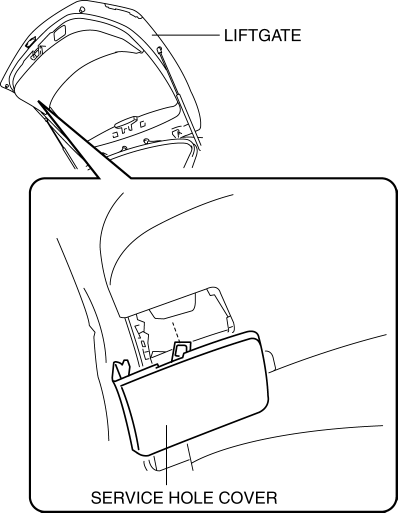
3. Disconnect the connector.
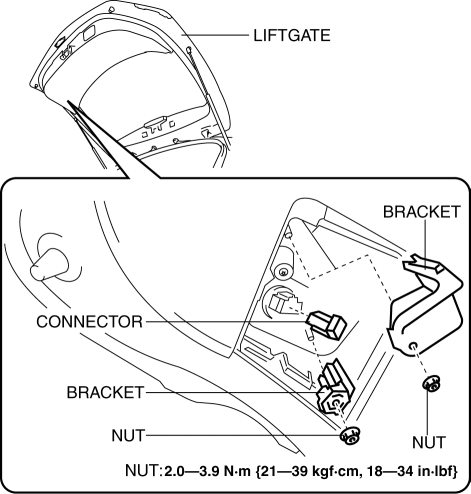
4. Remove the nut.
5. Remove the bracket.
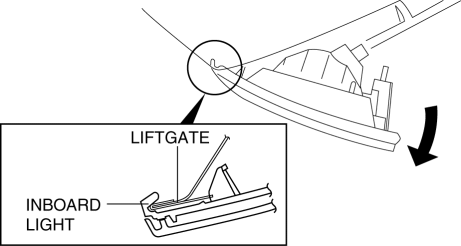
6. Remove the inboard light as shown in the figure.
7. Remove the request switch. (With Advanced keyless entry and push button start system).
8. Install in the reverse order of removal..
Inboard Light Installation Note
4SD
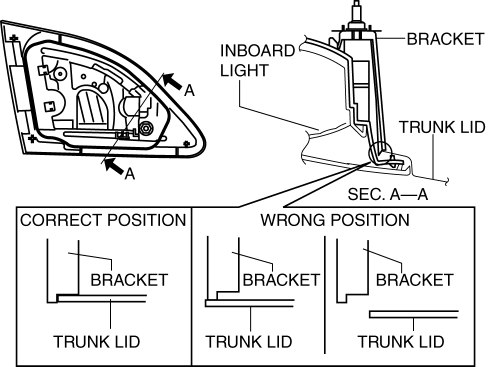
1. Push the bracket onto the trunk lid as shown in the figure and install.
5HB
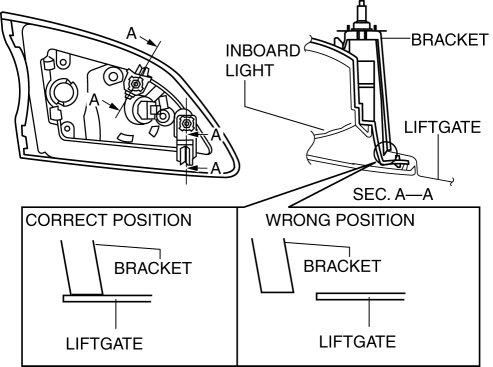
1. Push the bracket into the liftgate as shown in the figure and install.
 Ignition Key Illumination Removal/Installation
1. Disconnect the negative battery cable..
2. Remove the column cover upper..
3. Remove the ignition key illumination bulb.
4. Install in the reverse order of removal. ...
 Indirect Illumination Removal/Installation
Power Window Switch (With power window switch indirect illumination)
1. Disconnect the negative battery cable..
2. Remove the assist handle cover..
3. Remove in the order indicated in the table. ...
Other materials:
Seat Operation
*1: With power operation seat only
1. Seat Slide
(Manual Seat)
To move a seat forward or backward, raise the lever and slide the seat to the
desired position
and release the lever.
Make sure the lever returns to its original position and the seat is locked in
place by
attempting to p ...
Rear Scuff Plate Removal/Installation
1. Detach tab A while pulling the rear scuff plate in the direction of the arrow
(1) shown in the figure, then detach hook B, clips C, pins D while pulling in the
direction of the arrow (2).
2. Detach tab E while pulling the rear scuff plate in the direction of the arrow
(3) shown in the fig ...
Towing
Trailer Towing
Your Mazda is not designed for towing.
Never tow a trailer with your Mazda.
Recreational Towing
An example of "recreational towing" is
towing your vehicle behind a motorhome.
The transaxle is not designed for towing
this vehicle on all 4 wheels.
When doing rec ...
