
Mazda 3 Service Manual: Liftgate Side Trim Removal/Installation
1. Remove the liftgate upper trim..
2. Pull the point A of the strap hanger as shown in the figure.
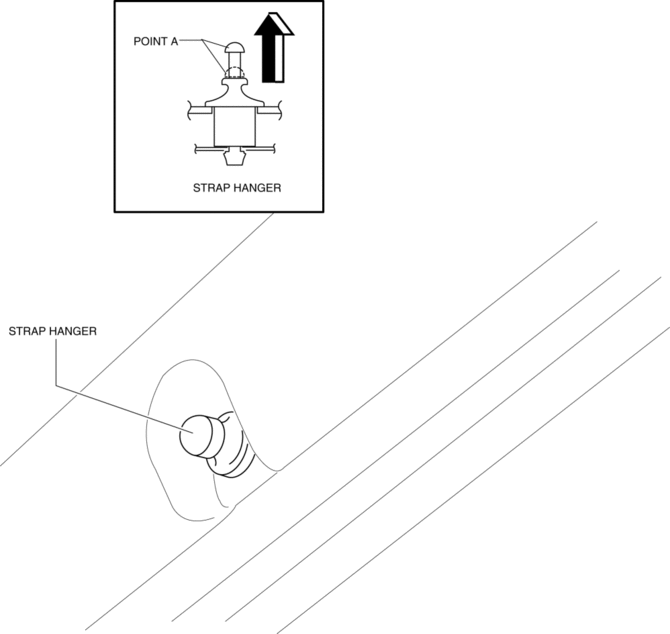
3. Remove the strap hanger.
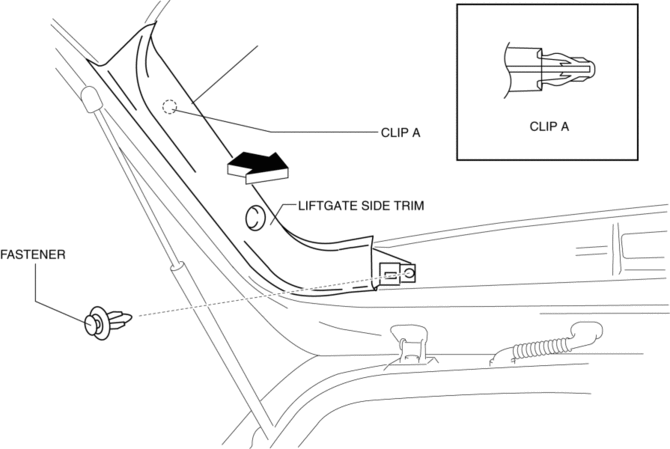
4. Remove the fastener.
5. Pull the liftgate side trim in the direction of arrow then remove clip A.
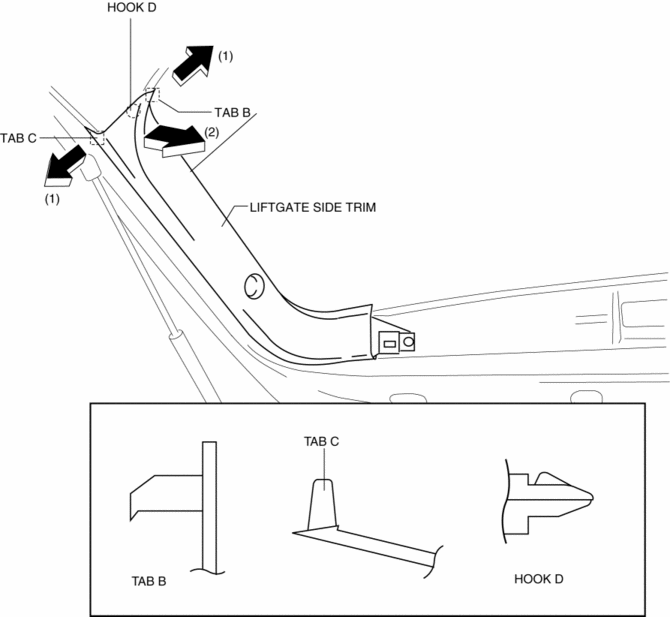
6. Detach tab B and C while pulling the liftgate side trim in the direction of the arrow (1) shown in the figure, then detach hook D while pulling in the direction of the arrow (2).
7. Install in the reverse order of removal.
 Liftgate Removal/Installation
WARNING:
When removing the stay damper, serious injury may occur if the stay damper
is removed without supporting the liftgate. Always perform the procedure with
at least another person. ...
 Liftgate Upper Trim Removal/Installation
1. Detach tab while pulling the liftgate upper trim in the direction of the arrow
(1) shown in the figure, then detach clips and pin while pulling in the direction
of the arrow (2).
2. Detac ...
Other materials:
Windshield Wiper Arm And Blade Removal/Installation
1. Remove in the order indicated in the table.
1
Cap
2
Nut
3
Windshield wiper arm
(See Windshield Wiper Arm Installation Note.)
4
Windshield wiper blade
5
...
ABS HU/CM Inspection
1. Disconnect the ABS HU/CM connector..
2. Connect the negative battery cable..
3. Attach the tester lead to the ABS HU/CM wiring harness-side connector and
inspect the voltage, continuity, or resistance according to the standard (reference
value) in the table below.
Standard (reference)
...
Reading this manual
Explains symbols used in this manual
Symbols in this manual
WARNING:
In the Subaru Solterra Owner’s Manual, this symbol highlights
critical information that must be followed without exception. Ignoring such instructions
may result in severe injury or even loss of life. Always pay close ...
