
Mazda 3 Service Manual: Rain Sensor Removal/Installation
1. Disconnect the negative battery cable..
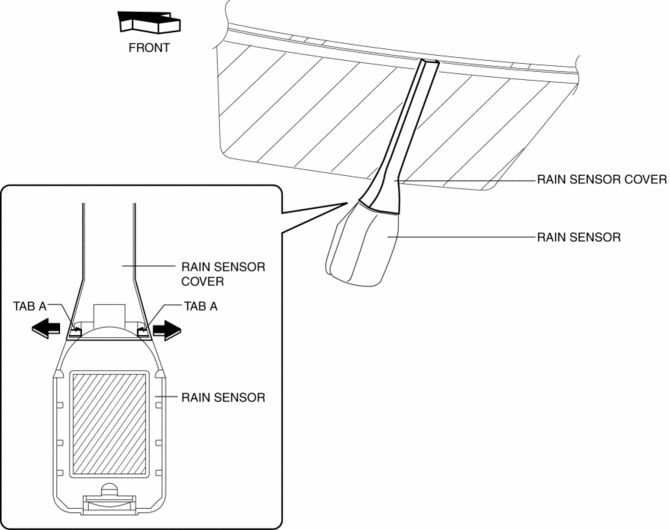
2. Spread open the rain sensor cover in the direction of the arrows and disengage tabs A to remove it.
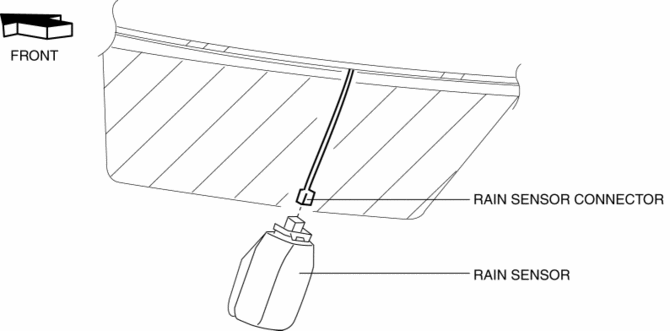
3. Disconnect the rain sensor connector.
4. Slide rain sensor tab B in the direction of the arrow shown in the figure and detach tab B.
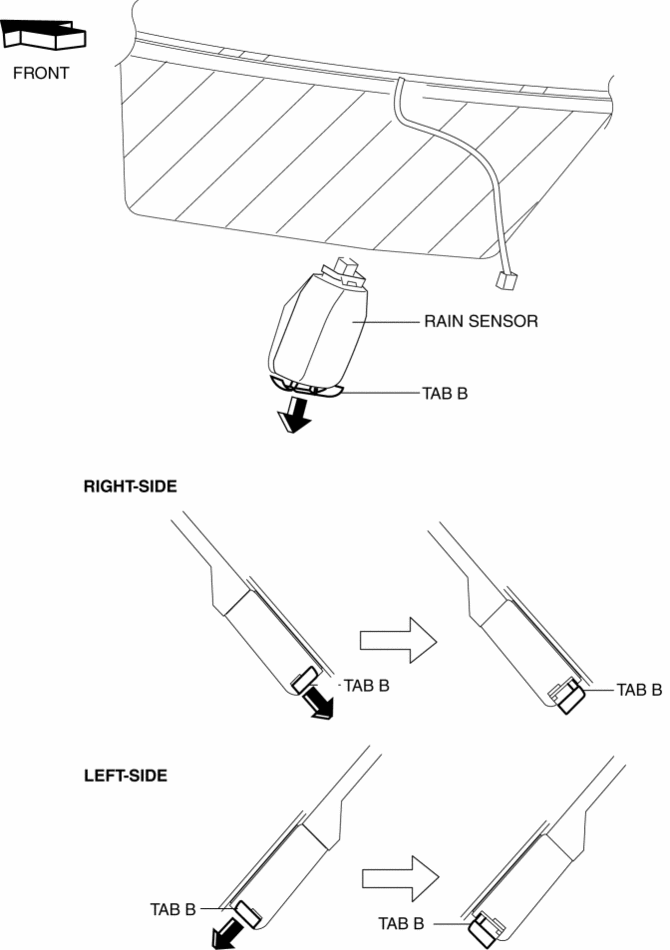
5. Remove the rain sensor in the direction of the arrow shown in the figure.
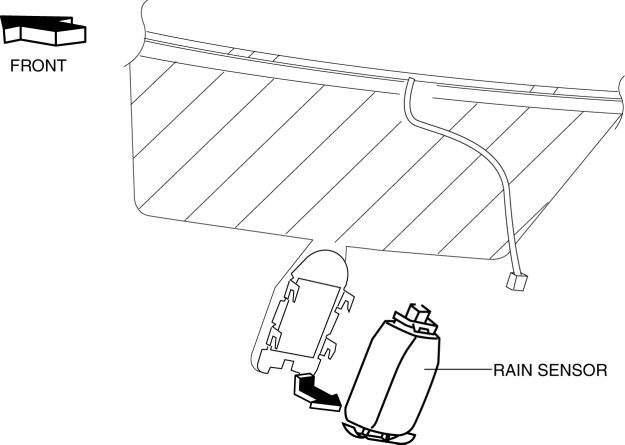
6. Peel off the rain sensor protective sheet from the rain sensor.
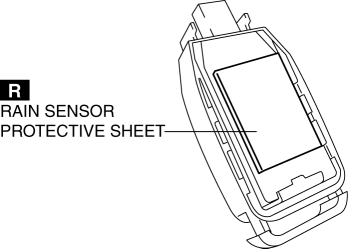
7. Install in the reverse order of removal..
Rain Sensor Installation Note
CAUTION:
-
If the rate at which the rain sensor reflects or transmits infrared light between the rain sensor and the windshield, or through the protective sheet is changed, the rain sensor will determine that there is a malfunction in the rain detection function and stop auto wiper system control. Be careful of the following when installing the rain sensor:
-
Do not reuse rain sensor protective sheet
-
Do not touch rain sensor lens, rain sensor protective sheet, and sensor installation area on windshield with your finger
-
Verify that there is no air bubble after installing rain sensor
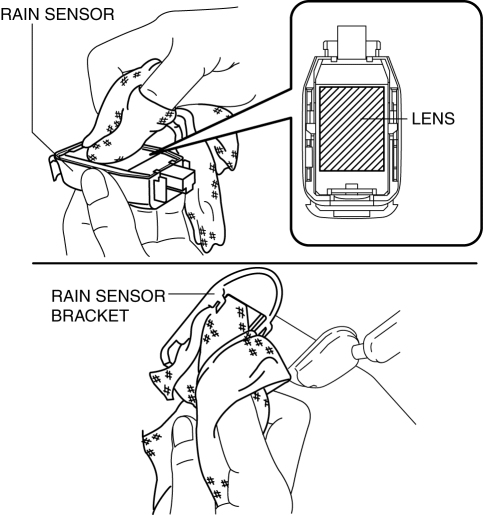
1. Wipe off any oil or dirt from the rain sensor lens and the windshield using a clean rag.
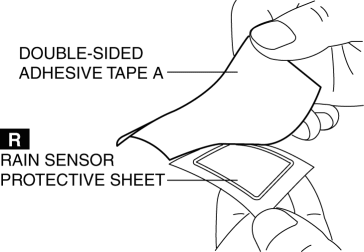
2. Peel off double-sided adhesive tape A from the rain sensor protective sheet.
3. Adhere the rain sensor protective sheet to the rain sensor lens.
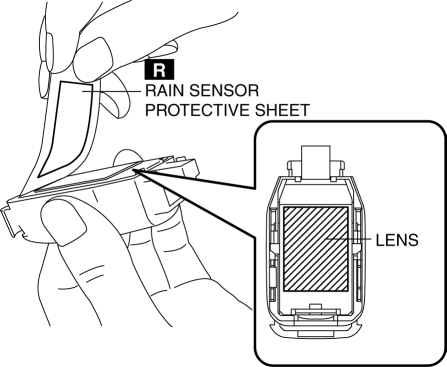
4. Peel off double-sided adhesive tape B from the rain sensor protective sheet.
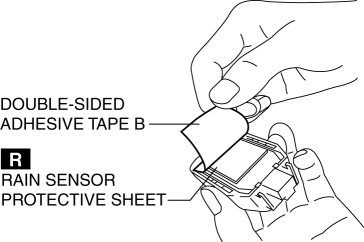
5. Install the rain sensor.
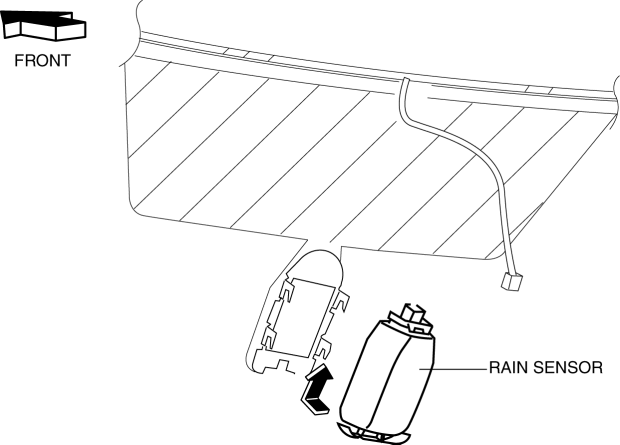
6. Press the rain sensor in the direction of the windshield and press out any air bubbles.
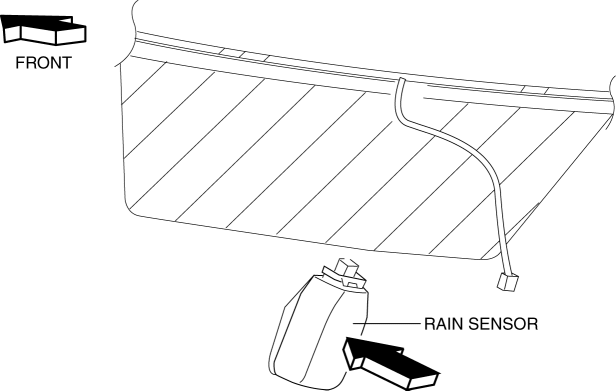
7. Verify that there is no air bubble between the windshield and the rain sensor.

 Wiper And Washer Switch Removal/Installation
1. Disconnect the negative battery cable..
2. Remove the column cover.
3. Disconnect the wiper and washer switch connector.
4. Remove the screws.
5. Remove the wiper and washer switch.
6 ...
Other materials:
Air Bleeding
CAUTION:
If the strainer is removed, impurities may penetrate the power steering system
and damage it. To prevent this, always bleed air with the strainer installed.
Do not maintain the steering wheel fully turned for 5 s or more. The oil
temperature could rise and damage ...
Blind Spot Monitoring (Bsm) Control Module Inspection
1. Disconnect the negative battery cable.
2. Remove the rear combination light..
3. Remove the rear bumper..
4. Connect the negative battery cable..
5. Measure the voltage at each terminal is as indicated in the Terminal Voltage
Tables.
If the voltage or continuity is not as specif ...
Battery Removal/Installation [Mzr 2.0, Mzr 2.5]
1. Remove in the order indicated in the table.
2. Install in the reverse order of removal.
1
Battery cover
(See Battery Cover Removal Note.)
(See Battery Cover Installation Note.)
2
Negative battery cable
3
...
