
Mazda 3 Service Manual: Rear Seat Back Frame Removal/Installation
1. Remove the rear seat cushion..
2. Remove the rear buckle installation bolt..
3. Remove the rear seat back..
4. Remove the headrest.
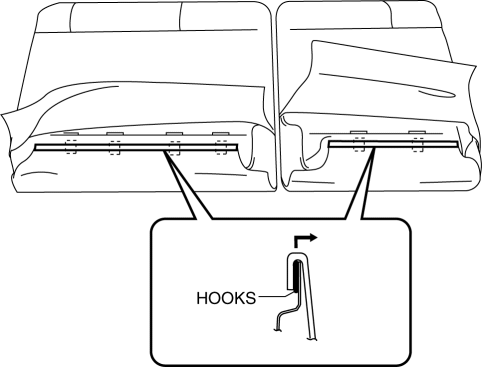
5. Open the fasteners.
6. Detach the hooks.
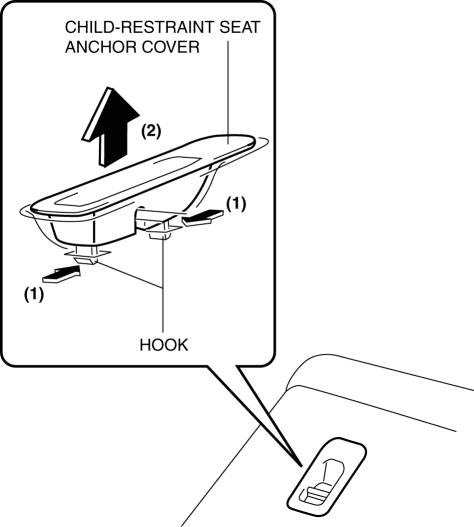
7. Remove the child-restraint seat anchor covers in the order of (1), (2) as shown in the figure. (5HB only)
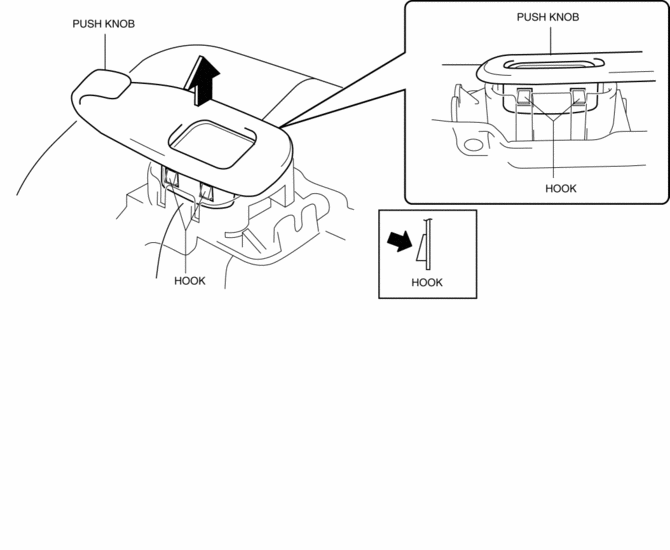
8. Remove the push knob while remove the hooks in the direction of arrow shown in the figure.
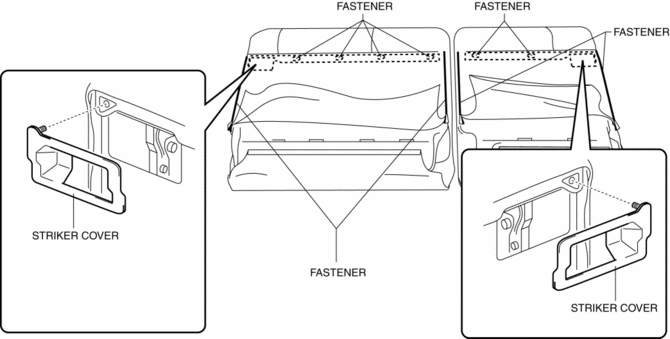
9. Open the fastener, remove the fastener and striker cover.
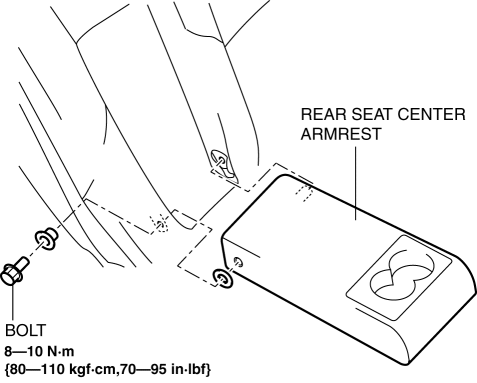
10. Remove the bolt then remove the rear seat center armrest.(Vehicles with the rear seat center armrest)
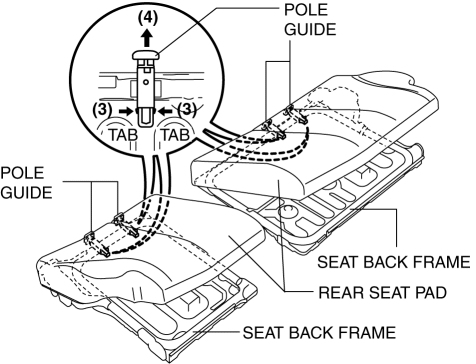
11. Peal back the rear seat pad, release the pole guide tabs in the direction of arrow (3) shown in the figure, then pull out the pole guides in the direction of arrow (4).
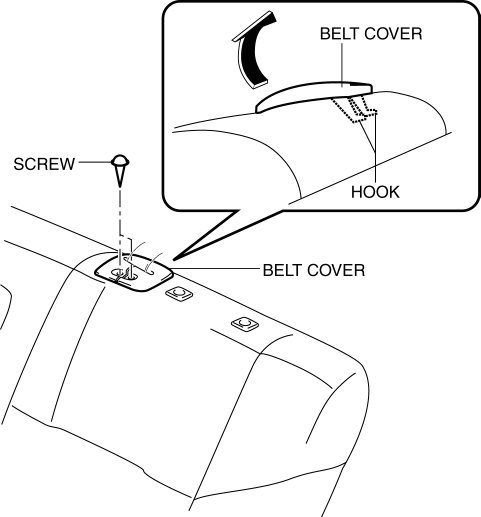
12. Remove the screws, then remove the belt cover in the direction of arrow shown in the figure.
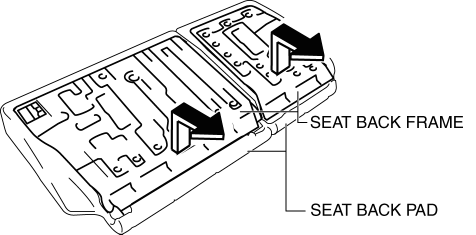
13. Open the fasteners.
14. Remove the seat back frame from the seat back pad by pulling it in the direction of the arrow.(5HB)
15. Remove the nut, then remove the rear seat belt.
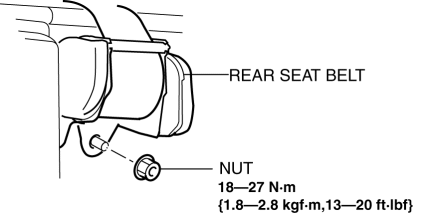
16. Install in the reverse order of removal.(5HB)
 Rear Crossmember Removal/Installation
CAUTION:
Performing the following procedures without first removing the ABS wheel-speed
sensor may possibly cause an open circuit in the wiring harness if it is pulled
by mistake. Before ...
 Theft Deterrent System Clearing Freeze Frame Data
1. Connect the M-MDS (IDS) to the DLC–2.
2. After the vehicle is identified, select the following items from the initialization
screen of the IDS.
Select “Body”.
Select & ...
Other materials:
Air Intake Actuator Inspection [Manual Air Conditioner]
1. Connect battery positive voltage to air intake actuator terminal B (or C),
connect terminal C (or B) to ground, and then verify that the air intake actuator
operates as shown in the table.
If the operation condition is not normal, replace the air intake actuator.
...
Cooling (With air conditioner)
Set the mode selector dial to the
position.
Set the temperature control dial to the
cold position.
Set the fan control dial to the desired
speed.
Turn on the air conditioner by pressing
the A/C switch.
After cooling begins, adjust the fan
control dial and temperature control
...
Battery Electric Vehicle driving tips
When operating the Subaru Solterra, it is important to understand
that battery electric vehicles behave differently from conventional gasoline-powered
cars. At sustained high speeds—such as on highways or freeways—the efficiency
of electricity consumption decreases, which can significantly ...
