
Mazda 3 Service Manual: Starter Removal/Installation [Mzr 2.0, Mzr 2.5]
WARNING:
-
Remove and install all parts when the engine is cold, otherwise they can cause severe burns or serious injury.
-
When the battery cables are connected, touching the vehicle body with starter terminal B will generate sparks. This can cause personal injury, fire, and damage to the electrical components. Always disconnect the negative battery cable before performing the following operation.
1. Remove the battery cover..
2. Disconnect the negative battery cable..
3. Remove the aerodynamic under cover No.2..
4. Remove in the order indicated in the table.
5. Install in the reverse order of removal.
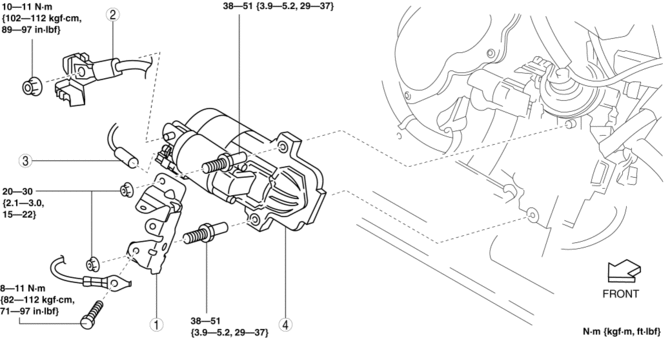
|
1 |
Wiring harness bracket |
|
2 |
Terminal B cable |
|
3 |
Terminal S connector |
|
4 |
Starter (See Starter Installation Note.) |
Starter Installation Note
NOTE:
-
If the insulator is peeling or damaged, attach a new insulator using the following procedure:
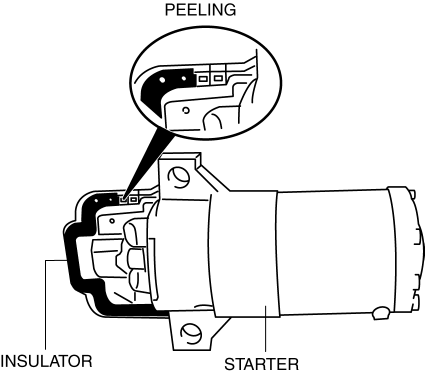
1. Peel off the insulator from the starter completely using a scraper.
2. Degrease the insulator attachment area.
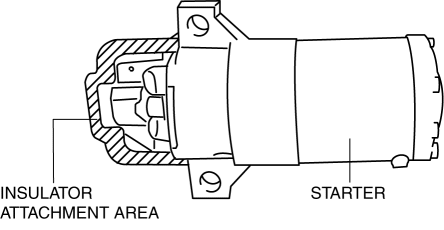
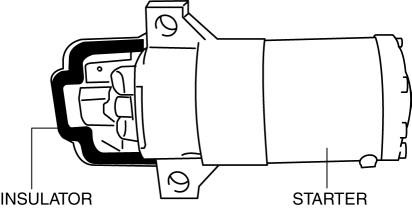
3. Attach a new insulator to the starter.
 Starter Interlock Switch Removal/Installation [C66 M R]
1. Remove the battery cover..
2. Disconnect the negative battery cable..
3. Disconnect the starter interlock switch connector.
4. Remove the starter interlock switch from the pedal bracket.
...
 Engine
...
Other materials:
Timing Chain Removal/Installation [Skyactiv G 2.0]
WARNING:
A hot engine can cause severe burns. Turn off the engine and wait until it
is cool before servicing.
CAUTION:
If the camshaft is rotated with the timing chain removed and the piston at
the top dead center position, the valve may contact the piston and the engine ...
Valve Clearance Inspection [Mzr 2.0, Mzr 2.5]
1. Remove the battery cover..
2. Disconnect the negative battery cable..
3. Remove the plug hole plate..
4. Disconnect the wiring harness.
5. Remove the ignition coils..
6. Remove the spark plugs..
7. Remove the ventilation hose.
8. Remove the oil level gauge.
9. Remove the cylinder ...
Manifold Absolute Pressure (Map) Sensor/Boost Air Temperature Sensor Removal/Installation
[Mzr 2.3 Disi Turbo]
NOTE:
Because the boost air temperature sensor is integrated in the MAP sensor,
replacing the boost air temperature sensor includes replacement of the MAP sensor/boost
air temperature sensor.
1. Remove the battery cover..
2. Disconnect the negative battery cable..
3. Remove t ...
