
Mazda 3 Service Manual: Trunk Lid Opener Cable Removal/Installation
1. Disconnect the negative battery cable..
2. Remove the following parts:
a. Front seat (LH)(See FRONT SEAT REMOVAL/INSTALLATION.)
b. Front scuff plate (LH).
c. Rear scuff plate.
d. B-pillar lower trim.
e. Rear seat cushion.
f. Rear seat back.
g. Tire house trim (LH).
h. Trunk end trim.
i. Trunk side trim (LH).
j. Trunk lid opener lever.
3. Remove the blots and nut.
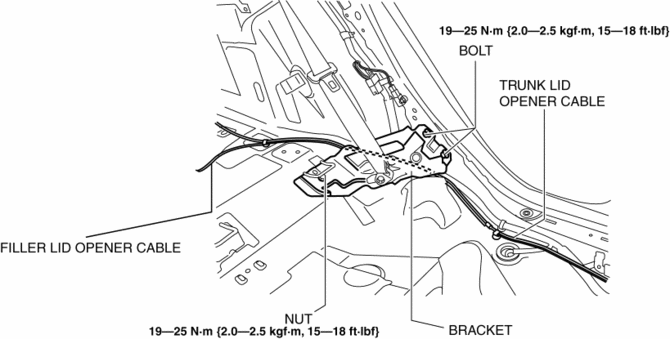
4. Remove the bracket.
5. Disconnect the trunk lid striker from the trunk lid opener cable.
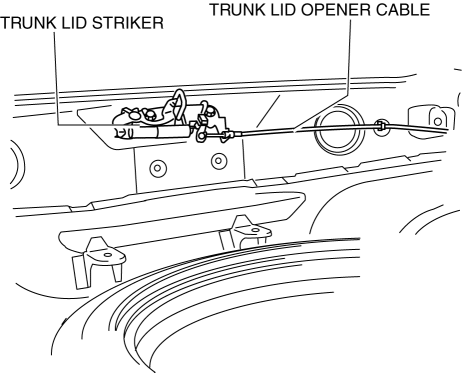
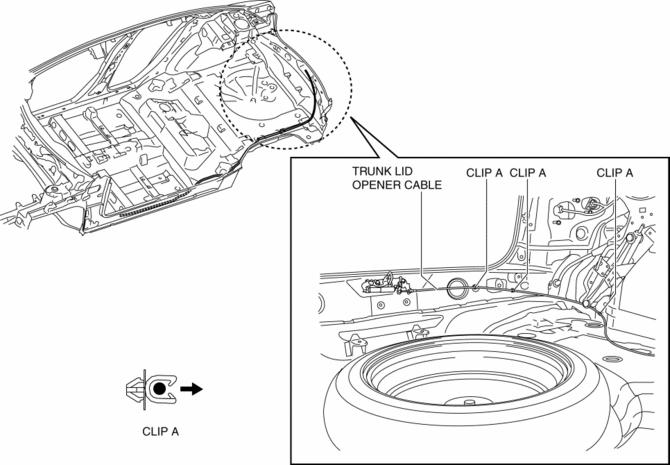
6. Remove the trunk lid opener cable from clips A.
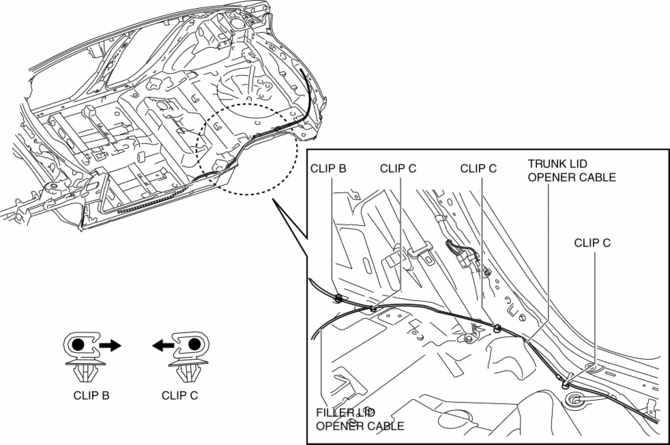
7. Remove the trunk lid opener cable from clips B and C.
8. Remove the trunk lid opener cable from clips D.
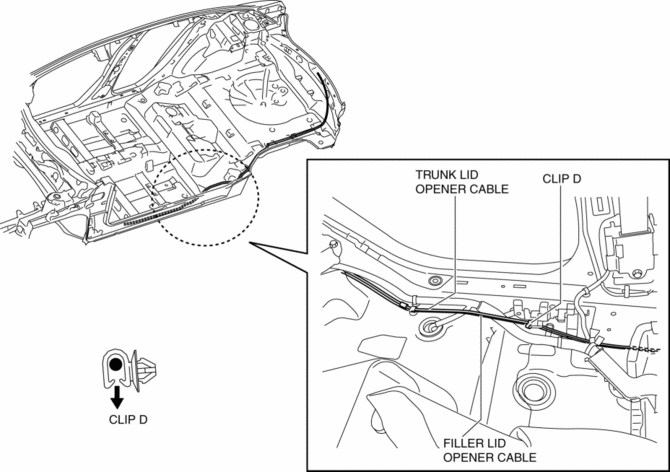
9. Install in the reverse order of removal.
 Trunk Lid Lock Striker Removal/Installation
1. Remove the trunk end trim..
2. Disconnect the trunk lid lock striker from the trunk lid opener cable.
3. Remove the bolts, then remove the trunk lid lock striker.
4. Install in the revers ...
 Trunk Lid Opener Lever Removal/Installation
1. Remove the front scuff plate (LH)..
2. Remove the front side trim (LH)..
3. Remove the fuel-filler lid opener bezel..
4. Partially peel back the floor covering.
5. Remove the bolts.
...
Other materials:
Power Window Motor Inspection
Front Driver Side
1. Disconnect the negative battery cable..
2. Remove the inner garnish..
3. Remove the front door trim..
4. Disconnect the power window motor connector.
5. Apply battery positive voltage and connect the ground to power window motor
terminals E and F, and then inspect the ...
Heating
Set the mode selector dial to the
position.
Set the air intake selector to the outside
air position.
Set the temperature control dial to the
hot position.
Set the fan control dial to the desired
speed.
If dehumidified heating is desired, turn
on the air conditioner.
NOTE
...
Bluetooth® Audio (Type A)
Applicable Bluetooth ® specification
(Recommended)
Ver. 2.0
Response profile
A2DP (Advanced Audio Distribution
Profile) Ver. 1.0/1.2
AVRCP (Audio/Video Remote Control
Profile) Ver. 1.0/1.3
A2DP is a profile which transmits only
audio to the Bluetooth ® unit. If your
Bluetooth ® ...
