
Subaru Solterra 2023-2026 Owner's Manual: When charging cannot be carried out
If charging of the Subaru Solterra does not begin even after correctly following the standard procedure, carefully review each of the following checks. If any notification appears on the multi-information display, it should be used as the primary reference for identifying the issue.
When charging cannot be carried out
For the Subaru Solterra, consult the guidance below and perform the appropriate corrective actions based on the specific situation encountered.
■ Charging indicator of the charging port does not illuminate, even though charging connector is connected.
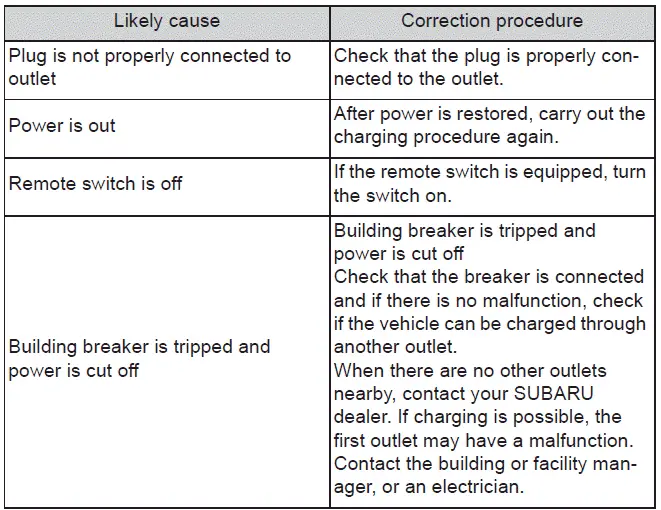
If the issue persists after performing the above checks, it is possible that the AC charging cable or plug assembly of the Subaru Solterra may be damaged or malfunctioning.
Immediately discontinue charging and contact an authorized SUBARU service center for professional inspection.
■ The error warning indicator on the CCID (Charging Circuit Interrupting Device) flashes
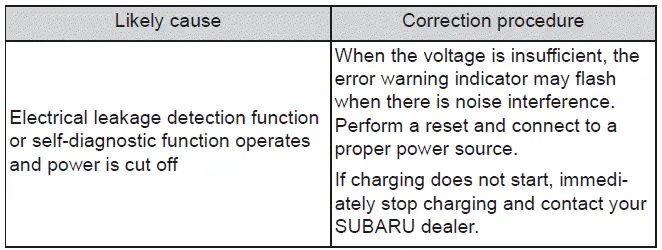
■ Charging indicator of the charging port does not illuminate, even though AC charging connector is connected.
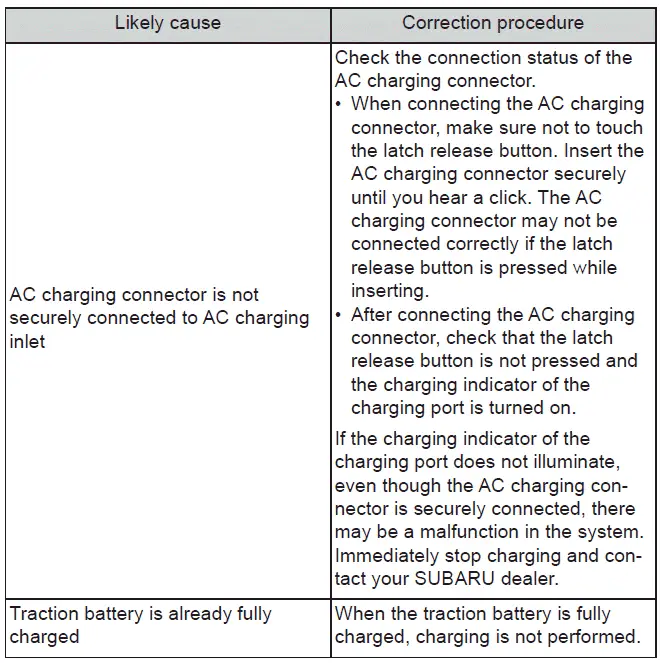
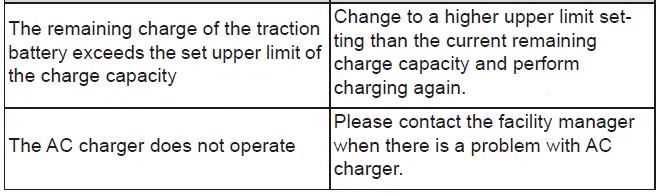
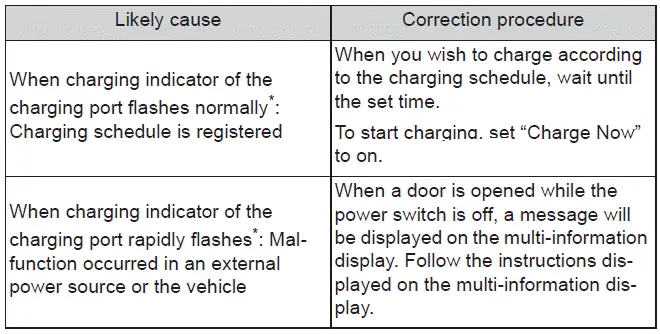
■ Charging indicator of the charging port flashes and charging cannot be carried out.
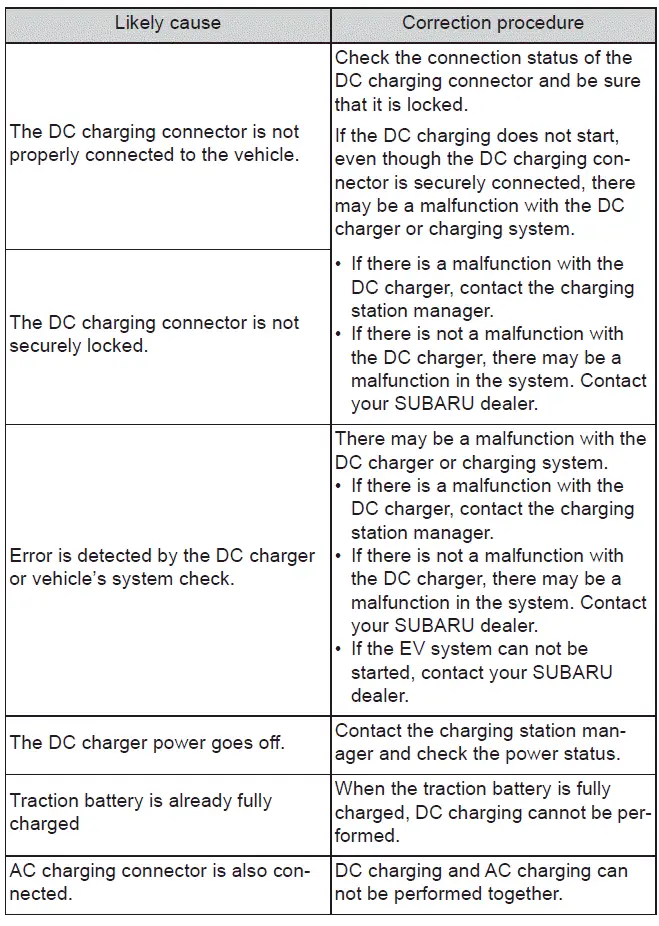
When DC charging cannot be performed normally
■ DC charging does not start
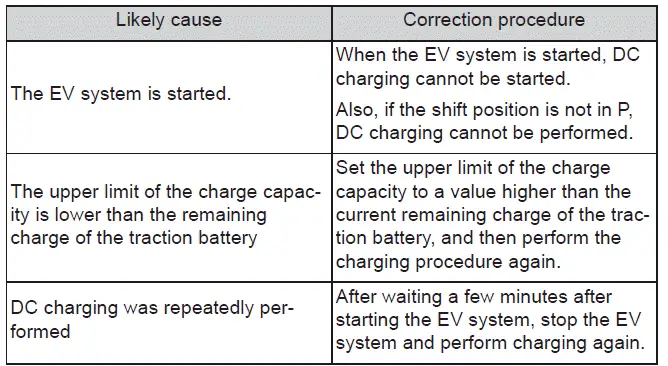
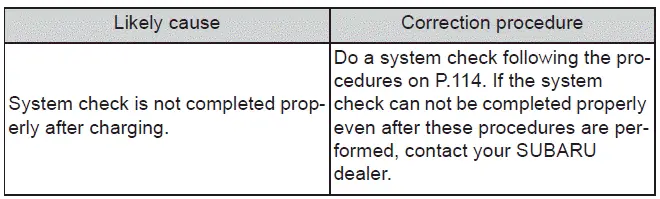
■ When DC charging is interrupted
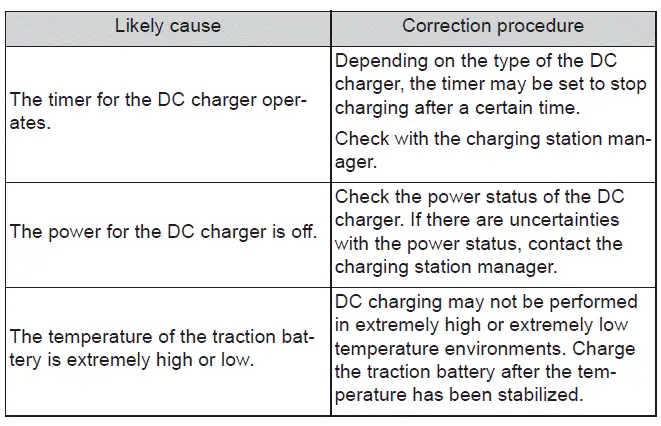
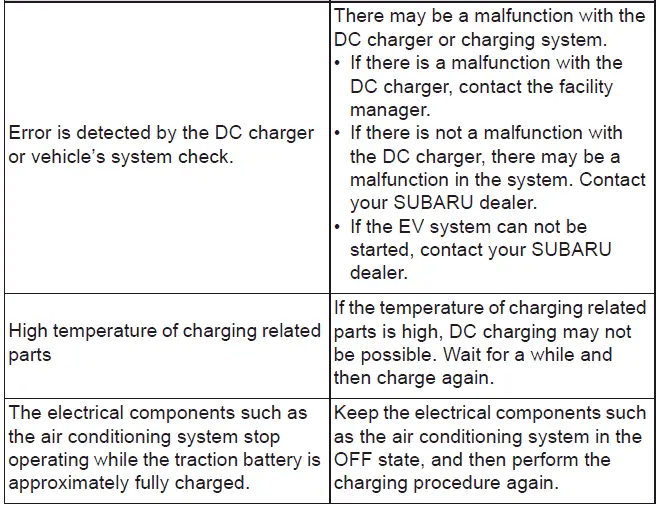
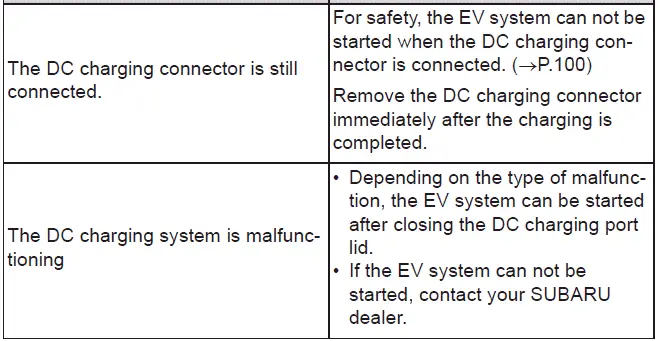
■ EV system does not start after DC charging
When charging schedule function does not operate normally
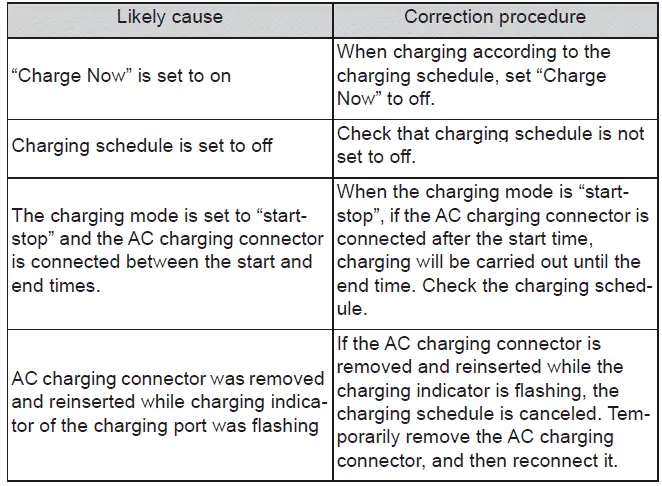
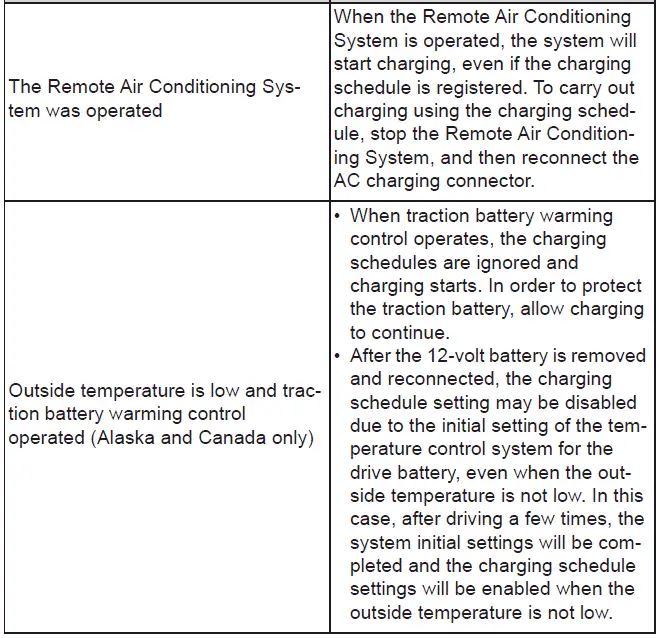
If the scheduled charging feature of the Subaru Solterra behaves unexpectedly, review the relevant conditions and adjust the configuration accordingly.
■ Cannot charge at desired time
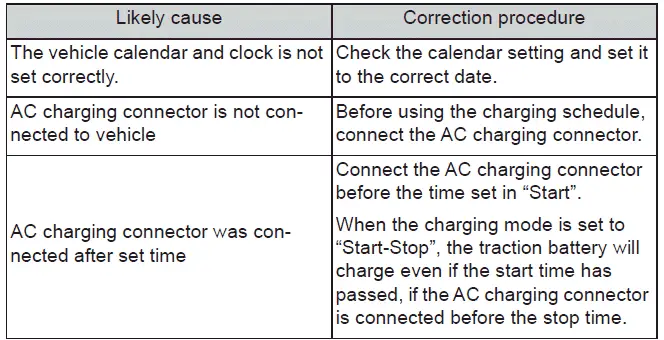
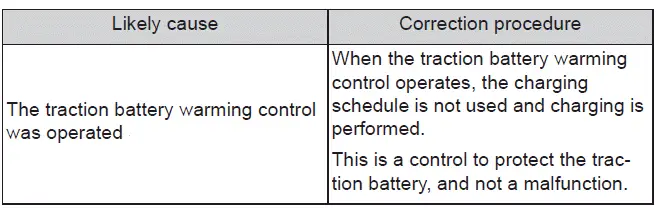
■ Charging starts, even though charging schedule is registered
When charging related message is displayed
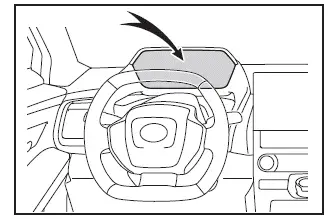
In the Subaru Solterra, when a door is opened after charging with the power switch turned off, a system message may appear on the multi-information display.
Follow the on-screen instructions carefully to ensure proper system operation.
■ If "Charging Stopped Due to Pulled Charging Connector" is shown
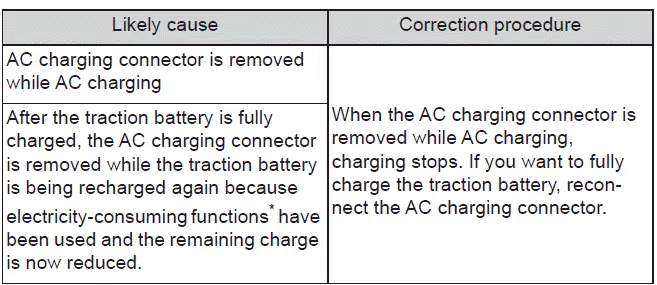
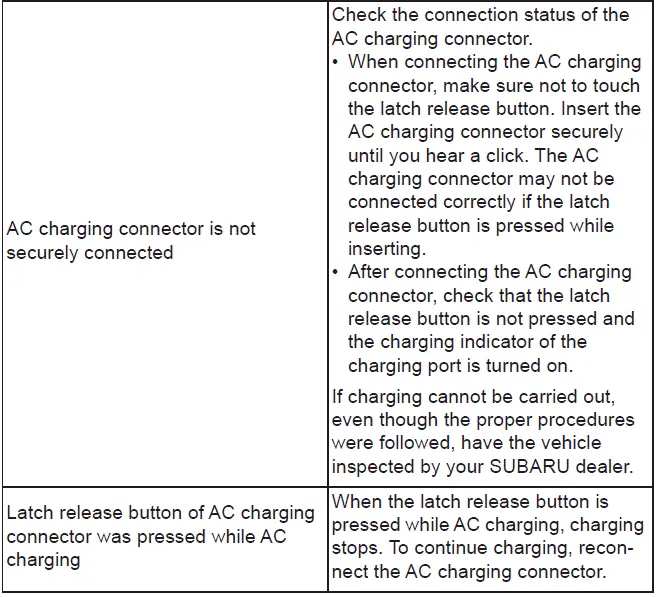
*: Electricity is consumed when operating battery heater or remote climate control systems in the Subaru Solterra.
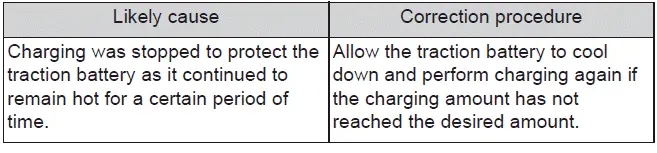
■ If "Charging Complete Limited Charge Due to Battery Temp" is shown
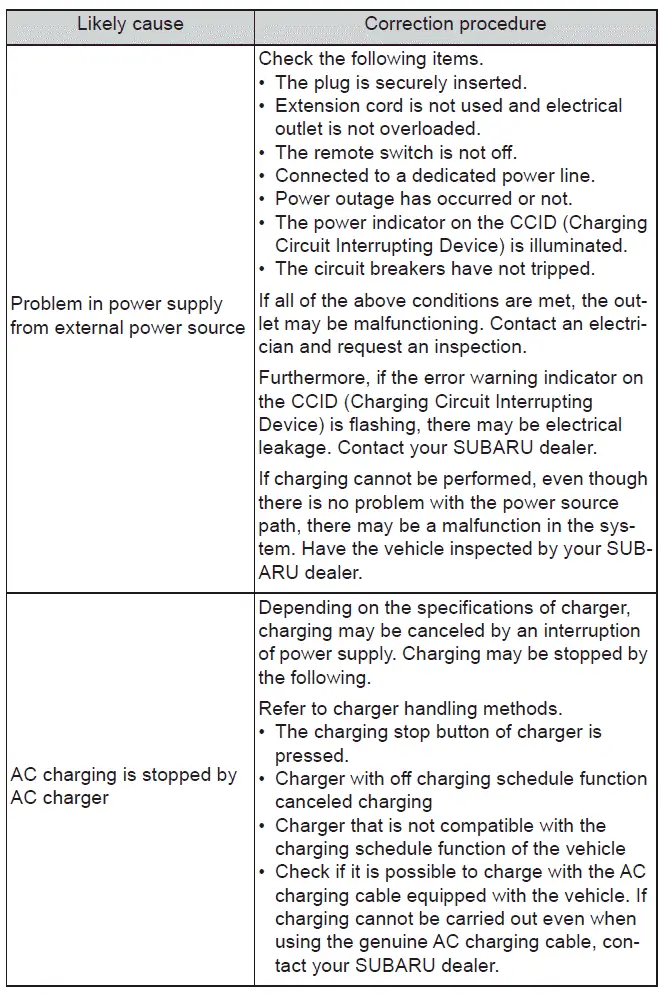
■ If "Charging Stopped Check Charging Source" is shown
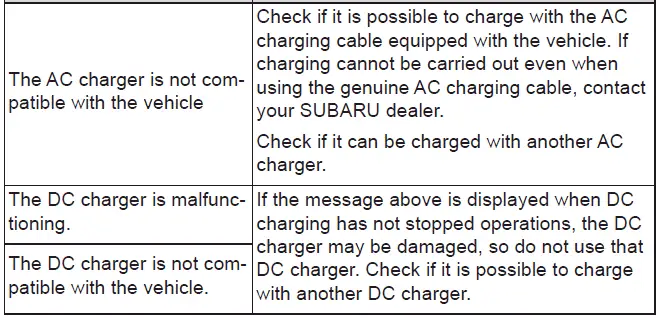
■ If "Charging Stopped High Energy Use See Owner's Manual" is shown
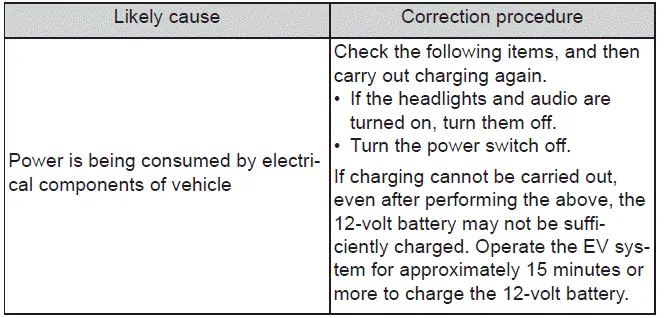
■ If "Charging System Malfunction See Owner's Manual" is shown

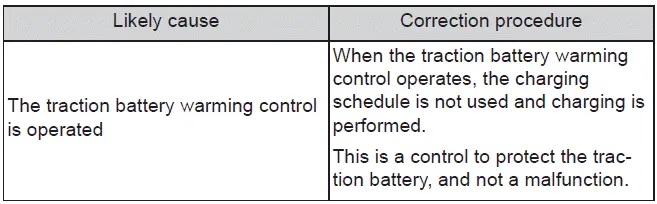
■ If "The Traction Battery Temp is low System put priority on charging to preserve battery condition" is shown
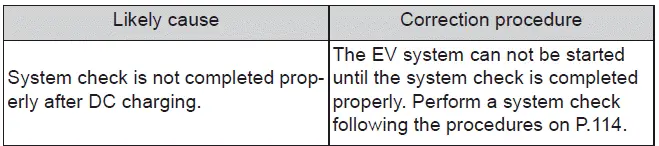
■ If "Check Charging System Close Charging Port Lid See Owner's Manual" is shown
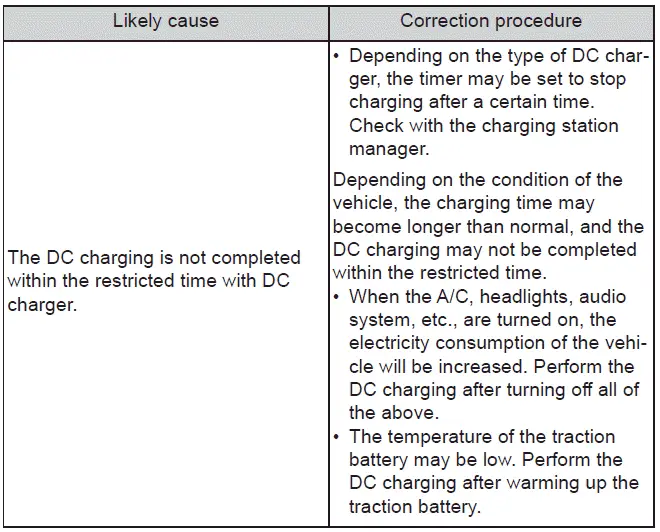
■ If "Charging Stopped Time Limit Reached" is shown
■ If "Charging Stopped Check Charging Source or Vehicle" is shown

■ If "The Traction Battery Temp is low System put priority on charging to preserve battery condition" is shown (Alaska and Canada only)
 Using My Room Mode
In the Subaru Solterra, when the charging cable is connected, selected
electrical systems such as the climate control and audio setup can operate using
energy supplied directly from an external po ...

Other materials:
Shift-Lock System
The shift-lock system prevents shifting out
of P unless the brake pedal is depressed.
To shift from P:
Depress and hold the brake pedal.
Start the engine.
Press and hold the lock-release button.
Move the selector lever.
NOTE
When the ignition is switched to ACC or
the ignition ...
Electric Power Steering Oil Pump Component Disassembly/Assembly
CAUTION:
The internal parts of the EHPAS control module and motor could be damaged
if they receive an impact. Be careful when handling the EHPAS control module
and motor to prevent the component from getting hit. Replace the electric power
steering oil pump component if it has recei ...
Transaxle Oil Replacement [G66 M R]
1. Park the vehicle on level ground.
2. Remove the aerodynamic under cover No.2..
3. Remove the drain plug and washer.
4. Drain the oil into a suitable container.
5. Install a new washer and the drain plug.
Tightening torque
39—59 N·m {4.0—6.0 kgf·m, 29—43 ft·lbf}
...
