
Mazda 3 Service Manual: Front Door Key Cylinder Removal/Installation
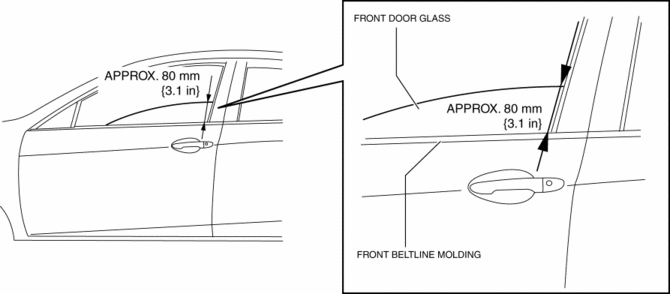
1. To access the glass installation bolt, position the front door glass so that the distance from the top of the front door glass to the upper part of the front beltline molding is approx. 80 mm {3.1 in}
.
2. Disconnect the negative battery cable..
3. Remove the following parts:
a. Inner garnish.
b. Front door trim.
c. Front door speaker.
d. Front door glass.
e. Front door module panel.
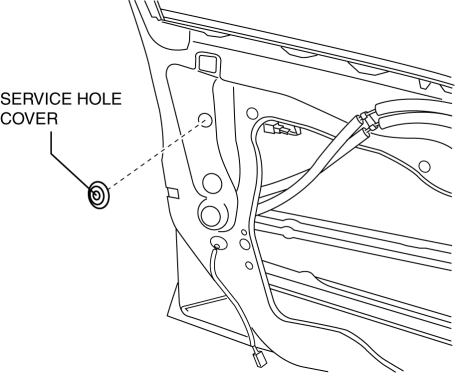
4. Remove the service hole cover.
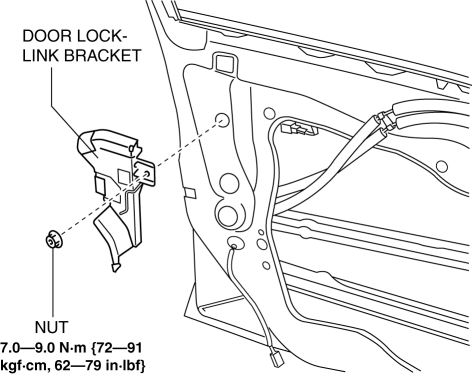
5. Remove the tab, then remove the door lock-link bracket.
6. Remove the service hole cover.
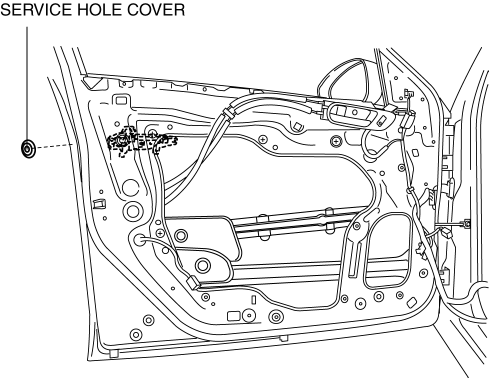
7. Remove the screw from the service hole.
NOTE:
-
The screw cannot be removed because of the stopper.
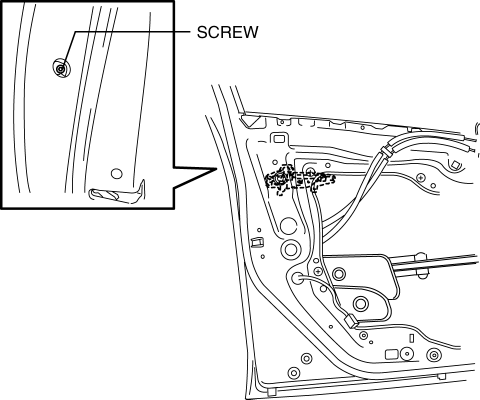
8. Lift the clip in the direction of the arrow (1), and pull out the key rod in the direction of the arrow (2).
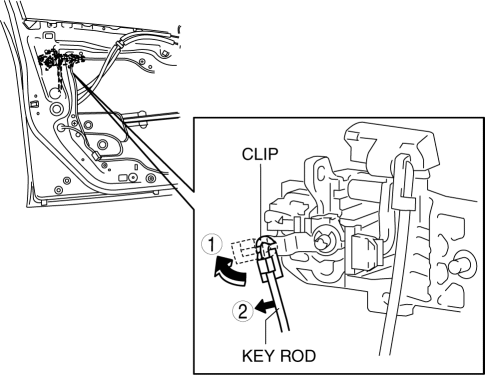
9. Press the tab on the front outer handle bracket in the direction of the arrow.
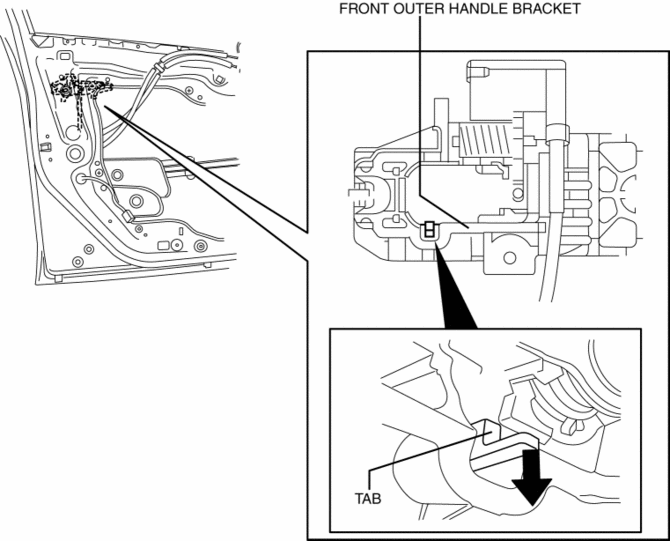
10. Maintaining the condition in Step 9, remove the front key cylinder.
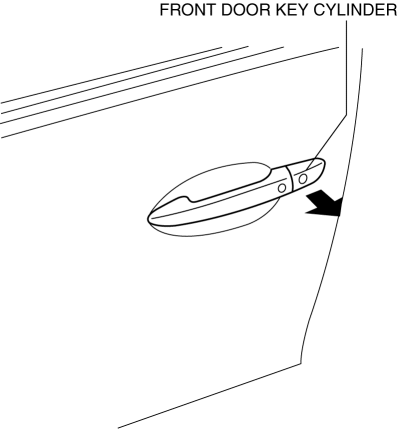
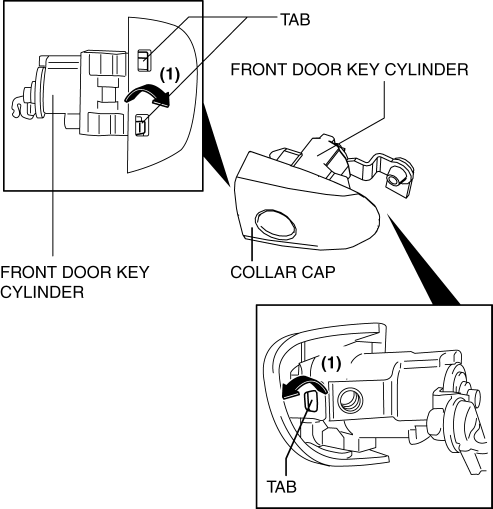
11. Using a tape-wrapped fastener remover, press up the collar cap in the direction of the arrow shown in the arrow, press aside the front door key cylinder tabs (1), and remove the collar cover from the front door key cylinder.
12. Install in the reverse order of removal.
 Keyless Control Module Removal/Installation
1. If the keyless control module is replaced, always perform the following procedure.
Vehicles with immobilizer system
Keyless Control Module Configuration.
Immobilize ...
 Front Door Key Cylinder Switch Inspection
1. To access the glass installation bolt, position the front door glass so that
the distance from the top of the front door glass to the upper part of the front
beltline molding is approx. 80 mm { ...
Other materials:
Speedometer
The speedometer indicates the speed of the
vehicle.
Speed Unit Selector (Type A
Instrument Cluster)
In some countries, you may have to
change the speed units between km/h and
mph.
Press the speed unit selector for 1.5
seconds or more.
The speed units for the speedometer will
change bet ...
Smart key system
In the Subaru Solterra, a wide range of vehicle operations can be
performed effortlessly simply by carrying the electronic key on your person, such
as in a pocket or bag. For optimal functionality and security, the driver should
always keep the electronic key within reach.
Locking and unlo ...
Antenna Feeder No.2 Inspection
1. Disconnect the negative battery cable..
2. Remove the following parts:
a. A-pillar trim (RH).
b. Rear seat cushion (4SD).
c. Rear scuff plate (RH).
d. Tire house trim (RH).
e. Trunk side upper trim (5HB, RH).
f. Trunk side trim (5HB, RH).
g. C–pillar trim (RH).
3. Disconnect t ...
