
Mazda 3 Service Manual: Tire House Trim Removal/Installation
4SD
1. Remove the rear seat cushion..
2. Remove the rear scuff plate..
3. Partially peel back the seaming welt.
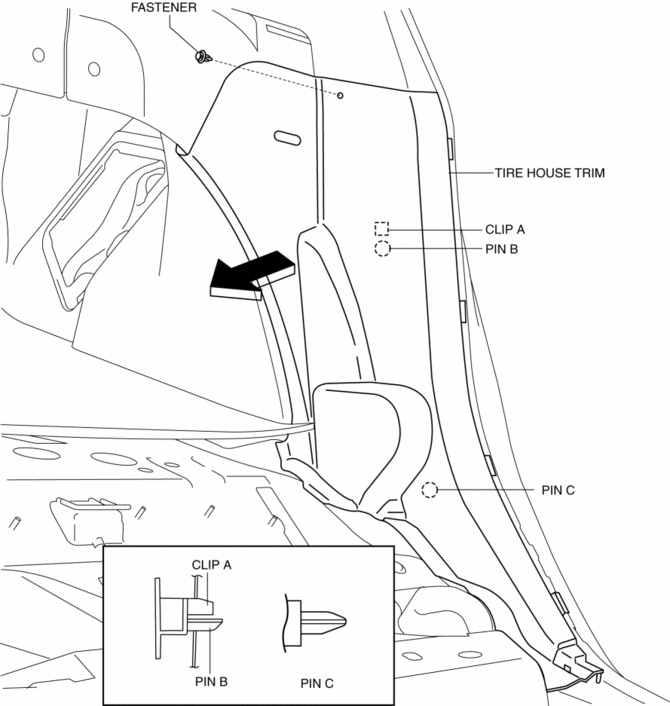
4. Remove the fastener.
5. Pull the tire house trim in the direction of arrow shown in the figure while remove the clip A, pin B and C.
6. Pull the tire house trim in the direction of arrow shown in the figure while remove the hook D.
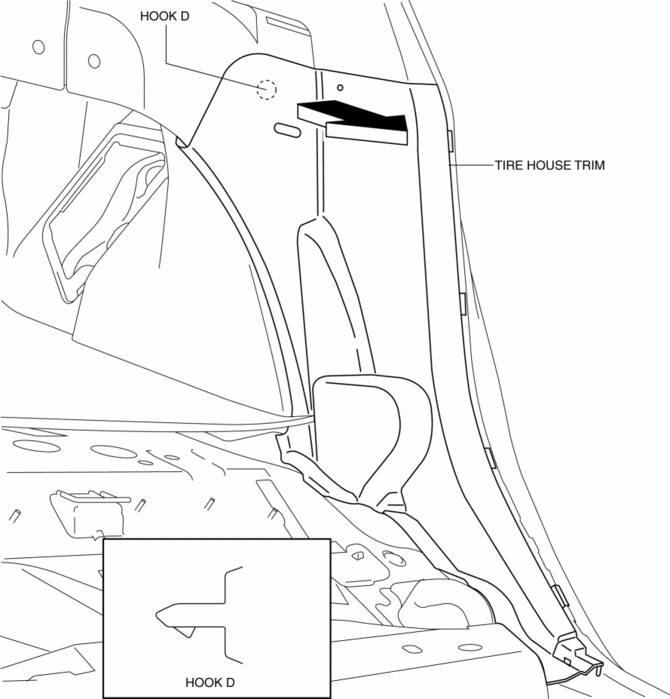
7. Remove the tire house trim.
8. Install in the reverse order of removal.
5HB
1. Remove the rear seat cushion..
2. Remove the rear scuff plate..
3. Partially peel back the seaming welt.
4. Remove the fasteners.
5. Pull the tire house trim in the direction of arrow (1), while remove the hook A and B.
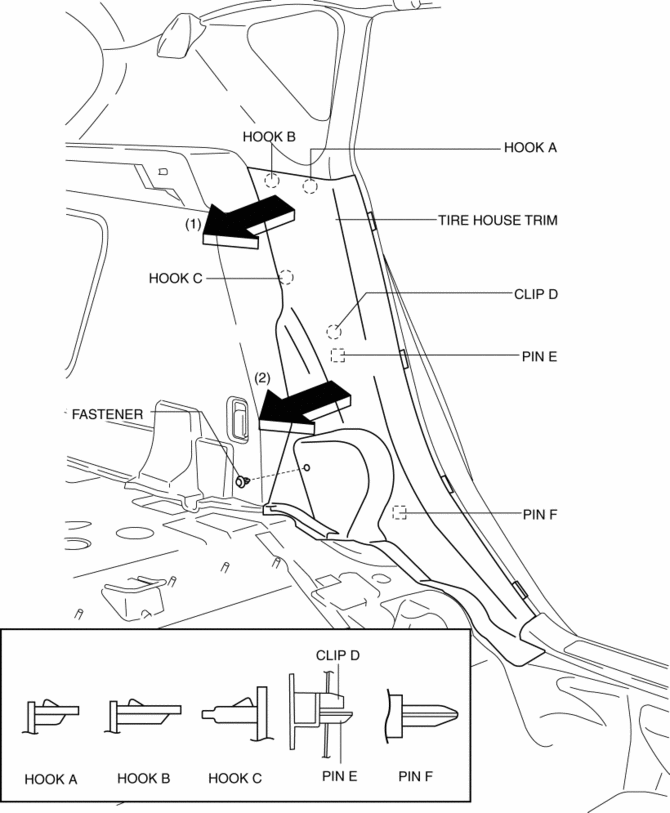
6. Pull the tire house trim in the direction of arrow (2), while remove the hook C, clip D, pin E and F.
7. Remove the tire house trim.
8. Install in the reverse order of removal.
 Parameter Setting Procedure When Tire Size Is Changed
CAUTION:
If the wheel and tire sizes are changed, a discrepancy with the speedometer
needle whereby it exceeds the allowable range could result in a malfunction.
If the wheel and tire si ...
 Wheel Alignment Pre Inspection
1. Park the vehicle on a level ground, in an unloaded condition*, and with the
wheels straight forward.
*: Unloaded condition.....Fuel tank is full. Engine coolant and engine oil are
at specifie ...
Other materials:
Front Combination Light Bracket Replacement
NOTE:
Verify that the front combination light is not damaged before using the repair
bracket for installation when the original brackets are damaged. If the front
combination light component is damaged, replace the light as a single unit.
1. Cut off the front combination light br ...
Drive Plate Removal/Installation [Fw6 A EL]
1. Remove the transaxle..
2. Remove in the order indicated in the table.
1
Drive plate installation bolts
(See Drive Plate Installation Bolts Removal Note.)
(See Drive Plate Installation Bolts Installation Note.)
2
Backing plate
...
Air Intake Actuator Inspection [Full Auto Air Conditioner]
1. Connect battery positive voltage to air intake actuator terminal B (or C),
connect terminal C (or B) to ground, and then verify that the air intake actuator
operates as shown in the table.
If the operation condition is not normal, replace the air intake actuator.
...
