
Mazda 3 Service Manual: Blower Motor Removal [Full Auto Air Conditioner]
NOTE:
-
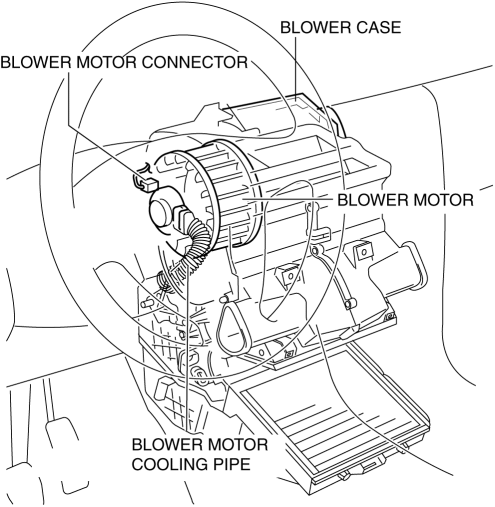
The blower motor is located on the A/C unit as shown in the figure.
-
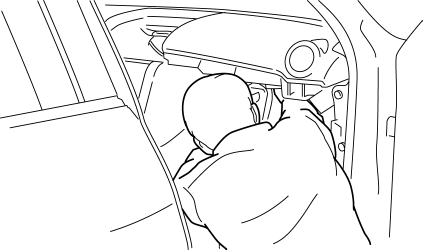
Perform the work from the front passenger side in the posture shown in the figure.
1. Set the air intake mode to FRESH.
2. Disconnect the negative battery cable.
3. Remove the following parts:
a. Front scuff plate.
b. Front side trim.
c. Upper panel.
d. Shift lever knob (MTX).
e. Selector lever knob (ATX).
f. Shift panel.
g. Side wall.
h. Console.
i. Dashboard under cover.
j. Glove compartment.
k. Hood release lever.
l. Lower panel.
m. Shower duct (Passenger-side).
n. Accelerator pedal.
4. Disconnect the air intake actuator connector..
5. Detach the harness clip from the blower case.
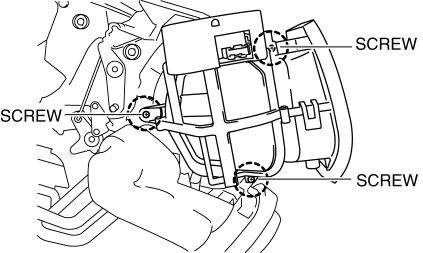
6. Remove the screws shown in the figure and slide the blower case.
7. Remove the blower case.
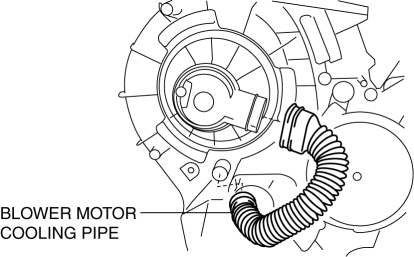
8. Disconnect the blower motor cooling pipe.
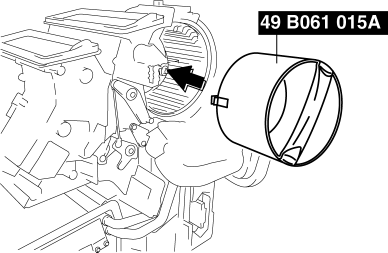
9. Install the SST (49 B061 015A)
to the blower motor.
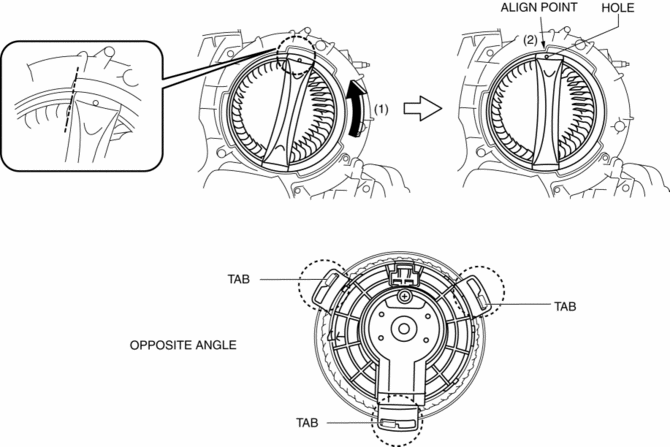
a. Rotate the SST
(1) and align the SST
hole with the align point (2) and then confirm that the SST
tabs into the three set holes on the blower motor they are inserted as shown in the figure.
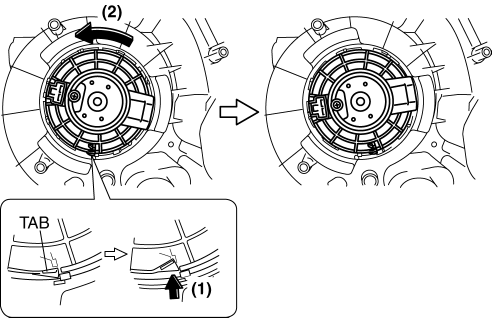
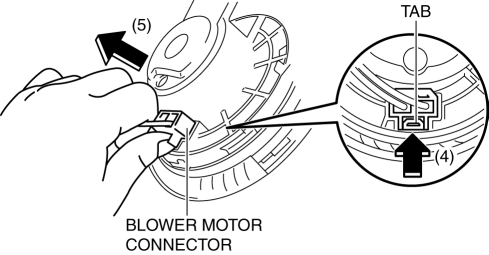
10. Press the tab (1) and rotate the blower motor (2) and push the blower motor into the A/C case slightly.
11. Rotate the blower motor and the blower motor connector position as shown in the figure (3) for disconnect the blower motor connector eased.
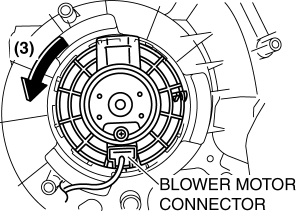
12. Press the tab (4) and disconnect the blower motor connector as shown in the figure (5).
13. Remove the blower motor in the direction shown by the arrow.
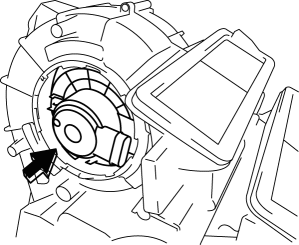
CAUTION:
-
To prevent damage to the sirocco fan, pull the blower motor out being careful that the blower motor does not interfere with the A/C unit.
14. Remove the blower motor with SST (49 B061 015A)
by pulling it out.
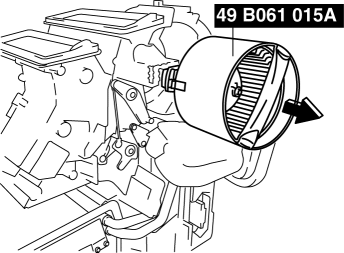
CAUTION:
-
To prevent damage to the sirocco fan, pull the blower motor out being careful that the blower motor does not interfere with the A/C unit.
 Blower Motor Installation [Full Auto Air Conditioner]
1. Install the SST (49 B061 015A) to the blower motor.
2. Install the blower motor with the SST (49 B061 015A) installed, to
the A/C unit.
CAUTION:
To prevent damage to the siroc ...
 Blower Motor Removal [Manual Air Conditioner]
NOTE:
The blower motor is located on the A/C unit as shown in the figure.
Perform the work from the front passenger side in the posture shown in the
figure.
1. Set ...
Other materials:
Rear Trailing Link Removal/Installation
CAUTION:
Performing the following procedures without first removing the ABS wheel-speed
sensor may possibly cause an open circuit in the wiring harness if it is pulled
by mistake. Before performing the following procedures, disconnect the ABS wheel-speed
sensor wiring harness connec ...
Neutral Switch Removal/Installation [G66 M R]
1. Remove the battery cover..
2. Disconnect the negative battery cable.
3. Remove the battery component. (ex: battery, battery tray and PCM component).
4. Remove the aerodynamic under cover No.2..
5. Drain the oil from the transaxle..
6. Remove the neutral switch.
7. Install the neu ...
Crankshaft Position (CKP) Sensor Removal/Installation [Mzr 2.0, Mzr 2.5]
Removal
CAUTION:
When foreign material such as an iron chip is on the CKP sensor, it can cause
abnormal output from the sensor because of flux turbulence and adversely affect
the engine control. Be sure there is no foreign material on the CKP sensor when
replacing.
Do not a ...
