
Mazda 3 Owners Manual: Contact Authorized Mazda Dealer and Have Vehicle Inspected
If any of the following warning lights or the indicator light turns on/flashes, the system may have a malfunction. Contact an Authorized Mazda Dealer to have your vehicle inspected.
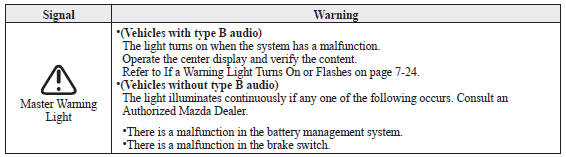
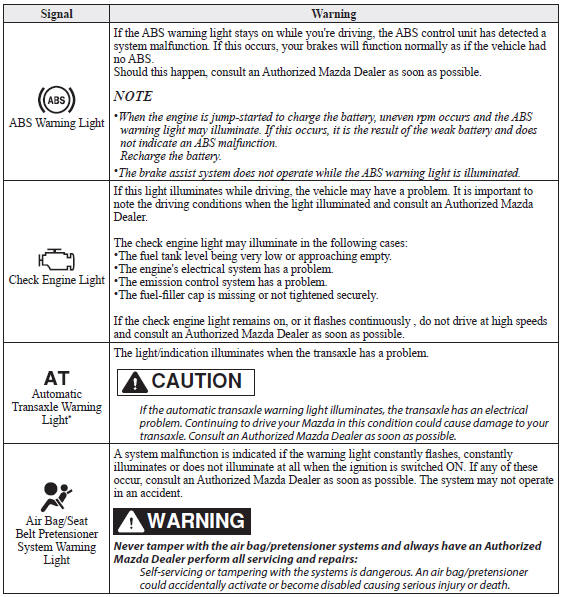
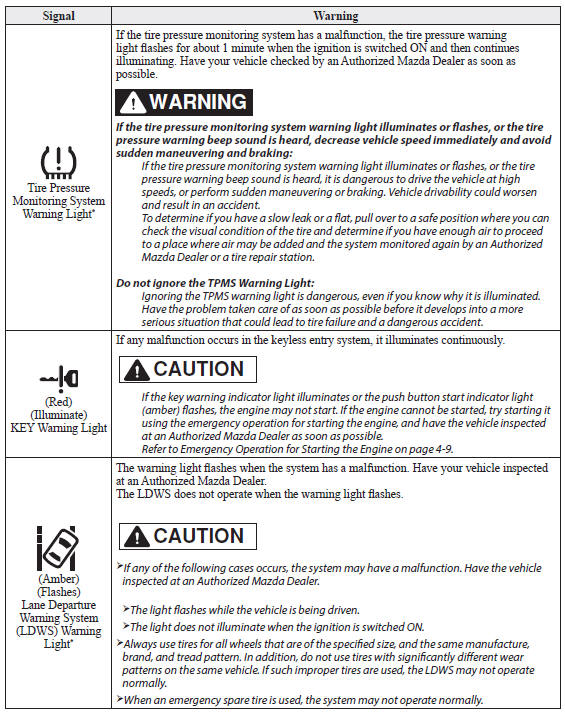
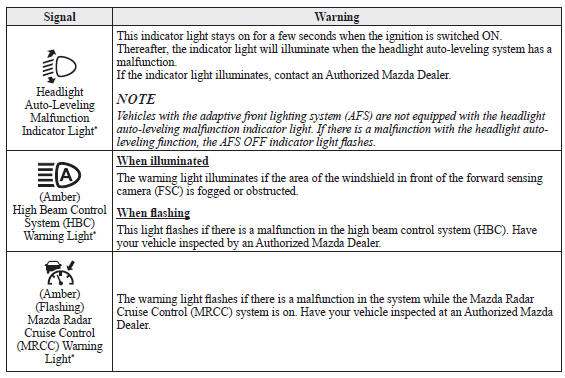
 Stop Vehicle in Safe Place Immediately
If any of the following warning lights turns on, the system may have a
malfunction. Stop the
vehicle in a safe place immediately and contact an Authorized Mazda Dealer.
...
 Taking Action
Take the appropriate action and verify that the warning light turns off.
KEY Warning Light
Take the appropriate action and verify that the warning light turns off.
...
Other materials:
If your vehicle overheats
If the message "EV System overheated Output power reduced" appears
on the multi-information display of your Subaru Solterra, it indicates that the
system temperature has risen beyond optimal limits and immediate action is required
to prevent potential damage.
NOTICE
■ Cooling system coolan ...
Electric Variable Valve Timing Actuator, Hydraulic Variable Valve Timing Actuator
Removal/Installation [Skyactiv G 2.0]
WARNING:
A hot engine can cause severe burns. Turn off the engine and wait until it
is cool before servicing.
CAUTION:
Do not disassemble the electric variable valve timing actuator and hydraulic
variable valve timing actuator because they are precision units.
If ...
Headlight Auto Leveling System Initialization
CAUTION:
If the headlight auto leveling initial setting is not stored correctly, the
headlight auto leveling system may not operate normally. To store the initial
setting correctly, perform the initial setting with the vehicle under the following
conditions:
No occupant ...
