
Mazda 3 Service Manual: Rear Door Quarter Glass Removal/Installation
1. Fully lower the rear door glass.
2. Disconnect the negative battery cable..
3. Remove the rear door trim..
4. Remove the service hole cover.
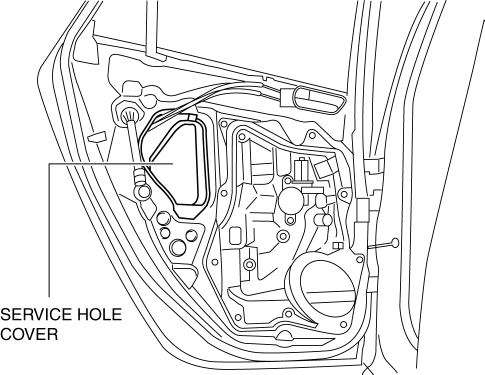
5. Remove the hole plug.
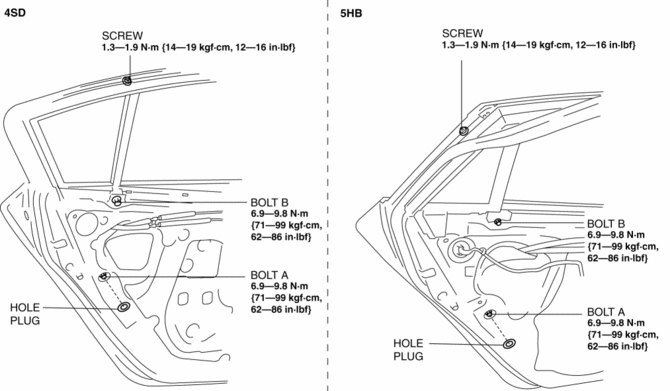
6. Remove the screw.
7. Remove the bolt A and B.
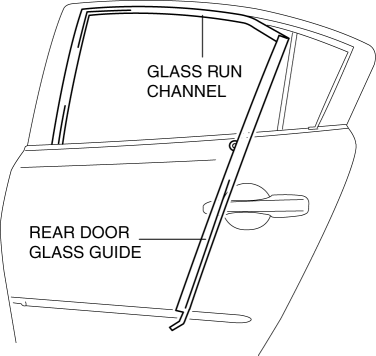
8. Remove the rear door glass guide.
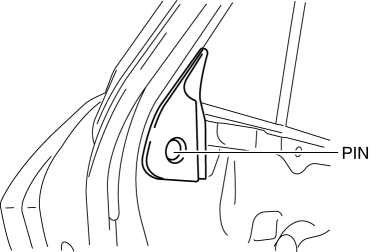
9. Remove the pin. (5HB)
10. Slide the rear door quarter glass in the direction of the arrow (1) shown in the figure.
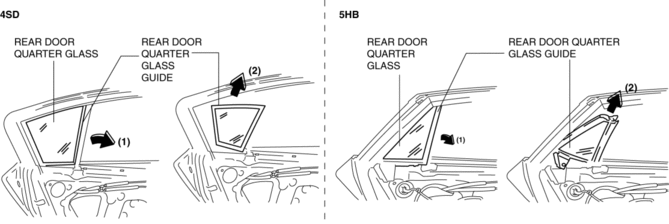
11. Remove the rear door quarter glass and rear door quarter glass guide as a single unit in the direction of the arrow (2) shown in the figure.
12. Remove the rear door quarter glass from the rear door quarter glass guide.
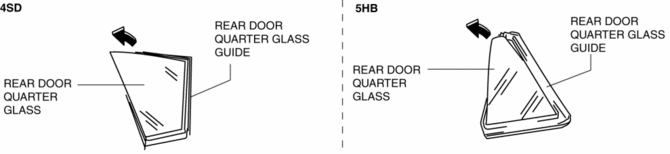
13. Install in the reverse order of removal.
 Rear Door Glass Removal/Installation
1. Fully lower the rear door glass.
2. Disconnect the negative battery cable..
3. Remove the rear door trim..
4. Remove the rear door speaker..
5. Remove the rear power window motor..
6. Rem ...
 Rear Power Window Regulator Removal/Installation
1. Fully lower the rear door glass.
2. Disconnect the negative battery cable..
3. Remove the rear door trim..
4. Remove the service hole cover.
5. Remove the rear door speaker..
6. Remov ...
Other materials:
Supplier Identification Procedure [Audio]
Identification Using the Label or Inscribed Lettering
1. Disconnect the negative battery cable..
2. Remove the center panel..
3. Remove the audio unit..
4. Verify the supplier by referring to the label attached to each unit.
Verify Using the Diagnostic Assist Function
Without display
...
Power Metal Oxide Semiconductor Field Effect Transistor (Power Mos Fet) Inspection
[Full Auto Air Conditioner]
1. Verify that the continuity between the power MOS FET terminals is as indicated
in the table.
If there is any malfunction, replace the power MOS FET.
If the blower motor operation is not normal even though no malfunction can
be verified, inspect the climate control unit..
...
Front Combination Light Bracket Replacement
NOTE:
Verify that the front combination light is not damaged before using the repair
bracket for installation when the original brackets are damaged. If the front
combination light component is damaged, replace the light as a single unit.
1. Cut off the front combination light br ...
